How to order a dedicated server
From choosing a plan to the email with your login details. Most servers are online within 24 hours of payment.
- Where
- Order a server in the client area
- Payment
- card, PayPal, crypto or bank transfer
- Delivery
- usually within 24 hours
Choose a plan
Open Order a server (or press Order on any plan on our website). Plans are grouped by line: AMD, Intel, GPU, storage and Dell. Prices are monthly in US dollars, with no minimum term. Press Configure (1) on the plan you want. For cheaper refurbished hardware, see the server auction.
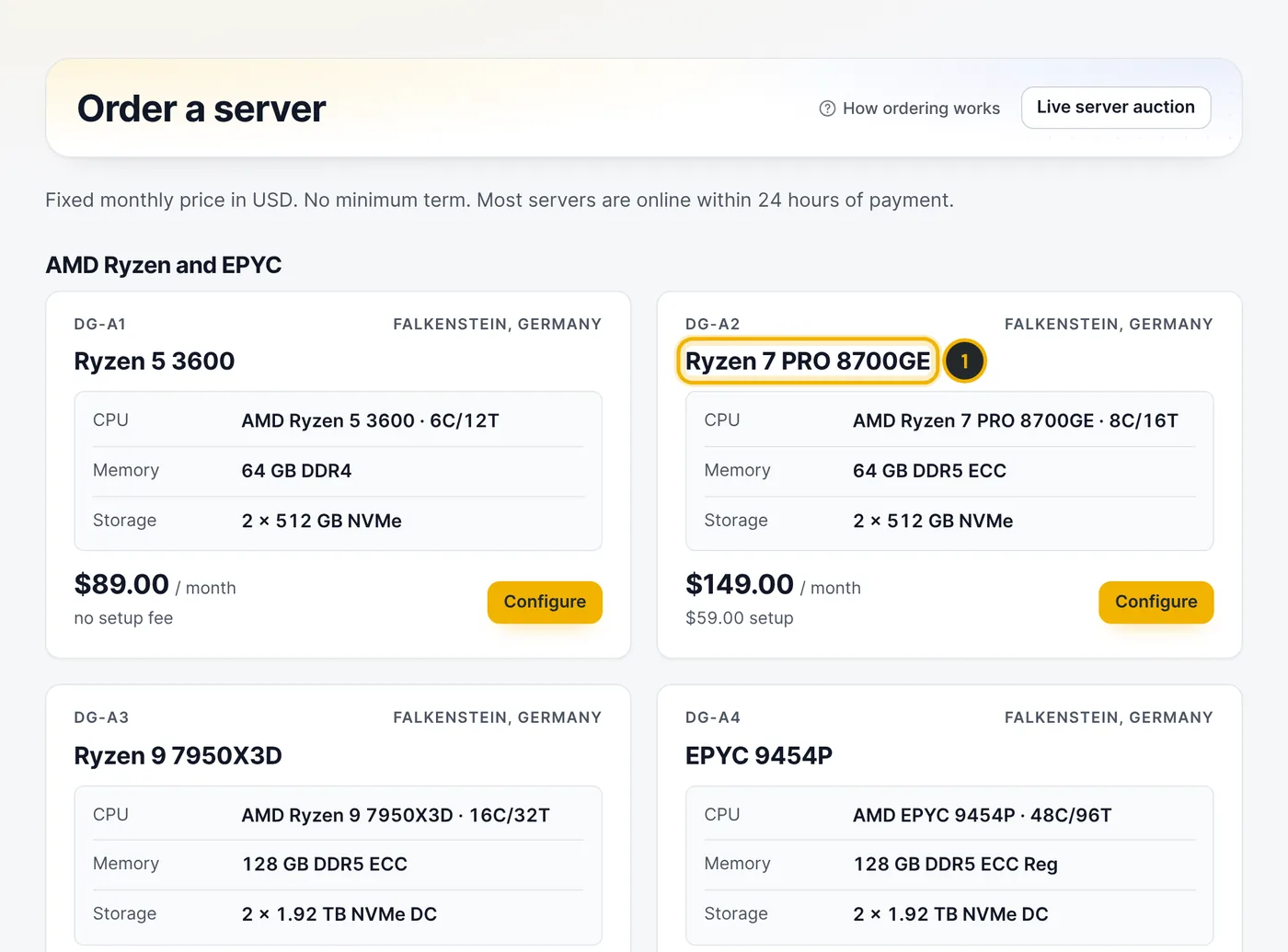
The numbers in the picture match the numbers in the text. Pick the operating system and add-ons
Choose the operating system (1). Windows Server is licensed per core: ask sales for a quote and we add it after delivery. Optionally enter a hostname (2). Under Add-ons you can add extra IPv4 addresses, a /29 subnet, backup storage or managed support. Press Add to cart (3).
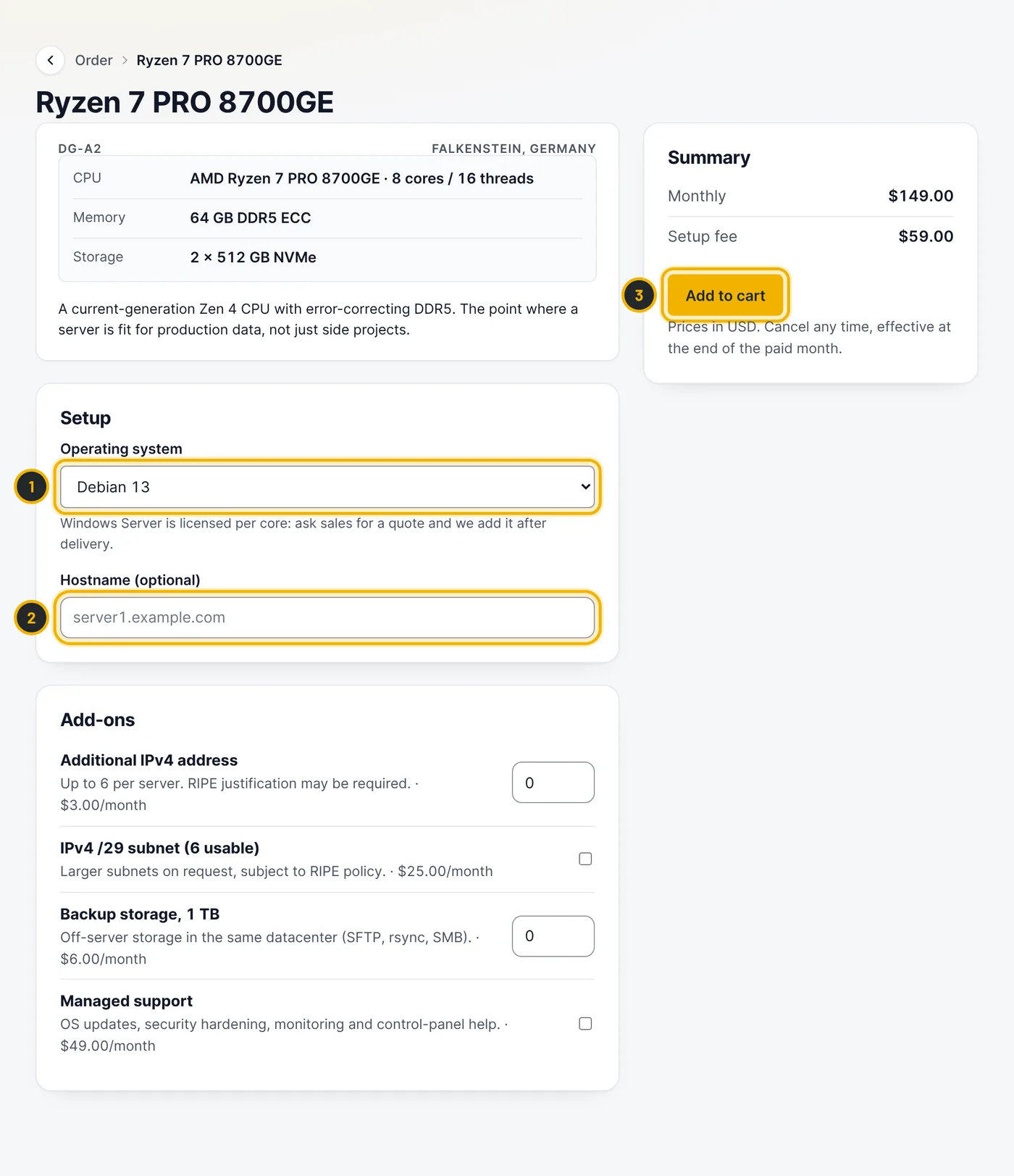
The numbers in the picture match the numbers in the text. Check out
In the cart, check the monthly price and the setup fee. Have a coupon? Open Have a coupon code? (1). Tick the box to accept the terms (2) and press Place order and pay (3).
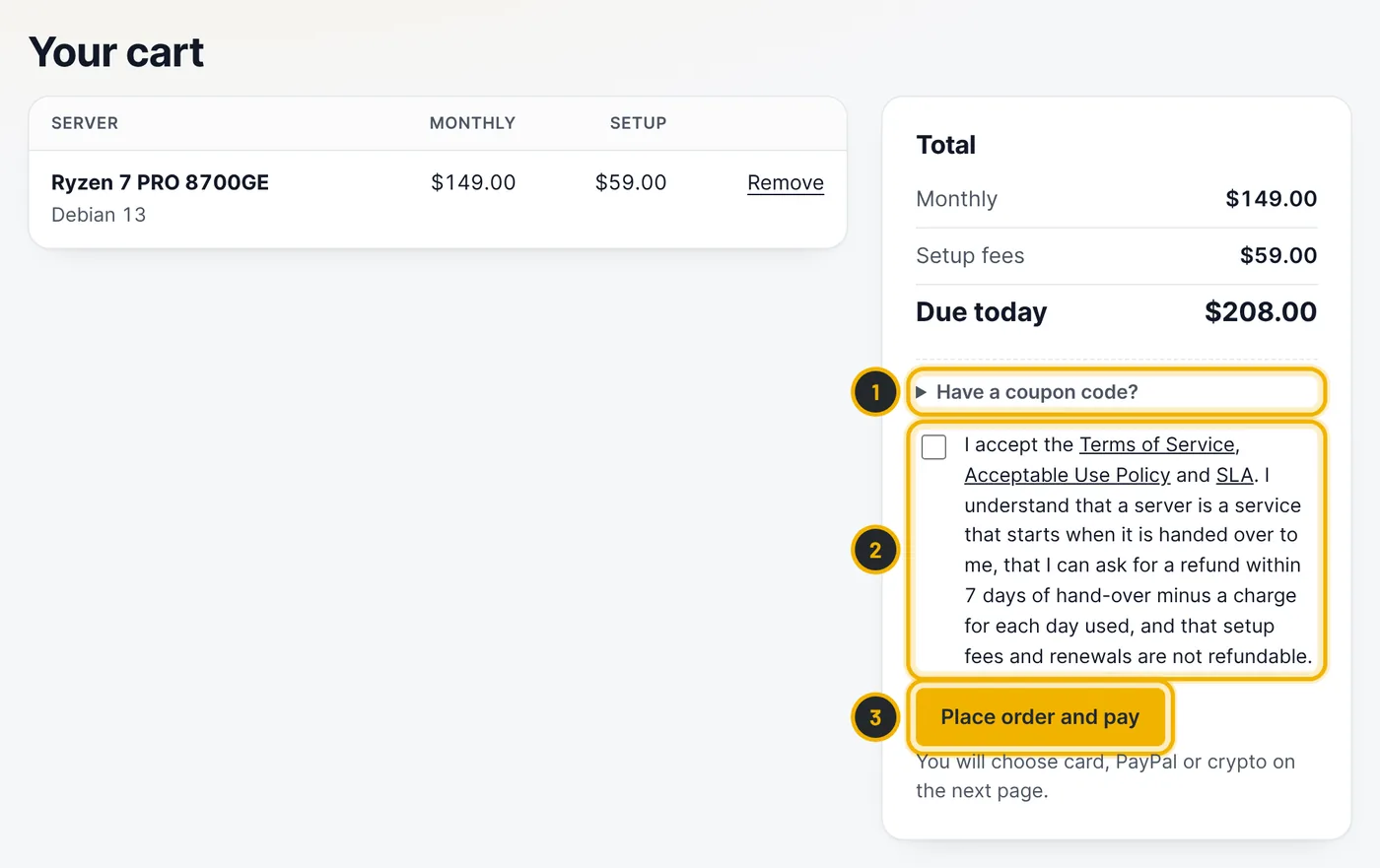
The numbers in the picture match the numbers in the text. Pay the invoice
Choose how to pay (1): card, PayPal, crypto or bank transfer. If you have account credit, you can use it first. Card and PayPal payments are handled on the provider's secure page; we never see your card number.
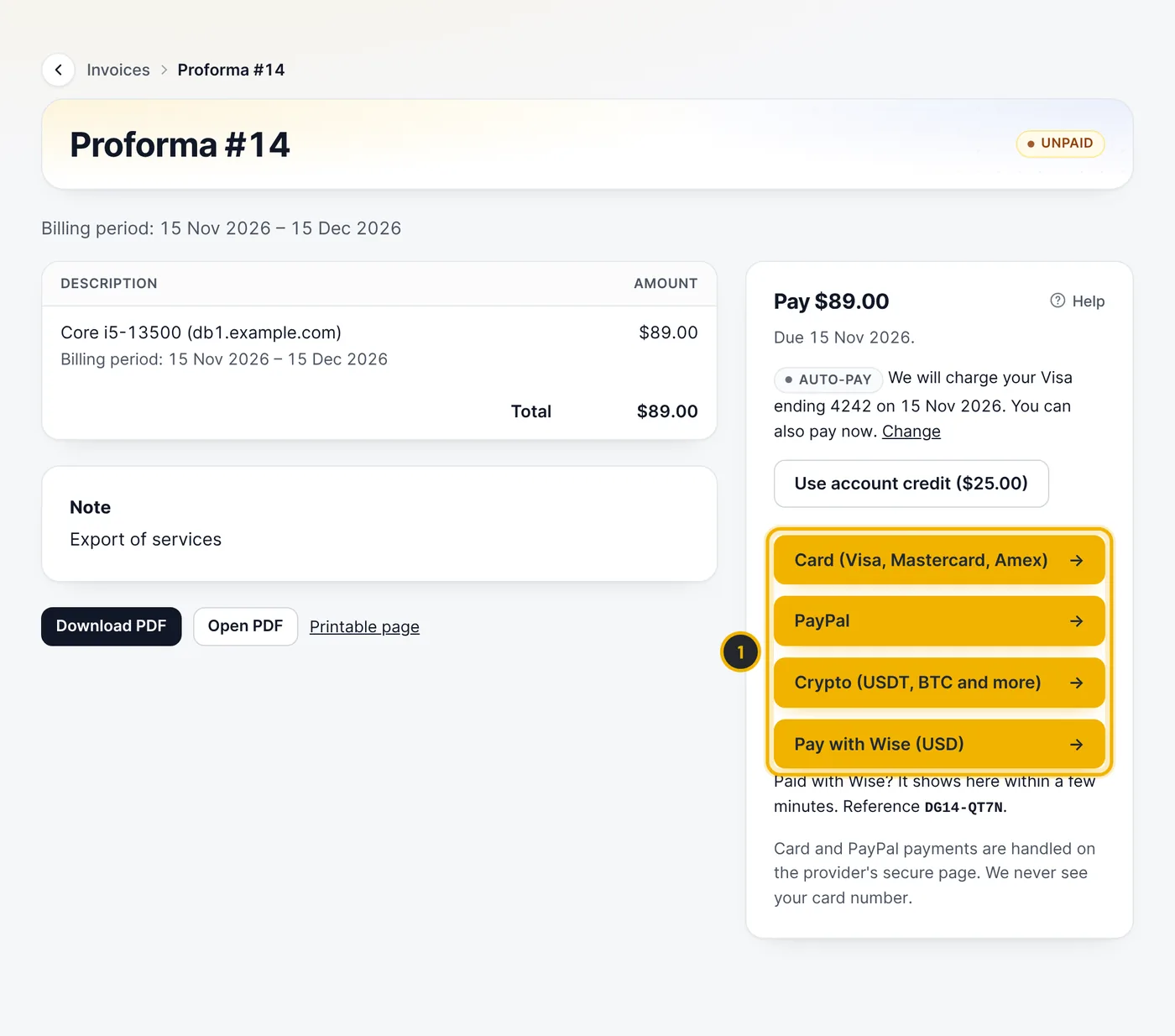
The numbers in the picture match the numbers in the text. Wait for the hand-over email
After payment we check the order, install the operating system and run a hardware test. You get an email with the login details, usually within 24 hours. For some orders our team asks for a quick ID check first; if so, the client area shows a notice with an upload link.
Questions
Can I change the operating system later?
Yes. You can reinstall Linux yourself from the server page at any time. See the reinstall guide.
Do you charge VAT?
Prices exclude VAT where applicable. Your invoice shows the tax that applies to your country and business details.
Related guides
Free planning tool
- Which server do I need? →
Five questions about your project, then 2–3 matching servers with reasons and prices.
Still stuck?
Our team answers around the clock. Most questions get an answer within the hour.