First login, two-factor authentication and SSH keys
Everything you need in your first ten minutes: signing in, finding your server and its root password, and protecting the account.
- Where
- my.dedigermany.com
- Time
- about 5 minutes
- You need
- your email and password, and an authenticator app for 2FA
Sign in
Open my.dedigermany.com, enter the email address you ordered with (1) and your password (2), then press Log in (3). Forgot the password? Use Forgot your password? below the form.
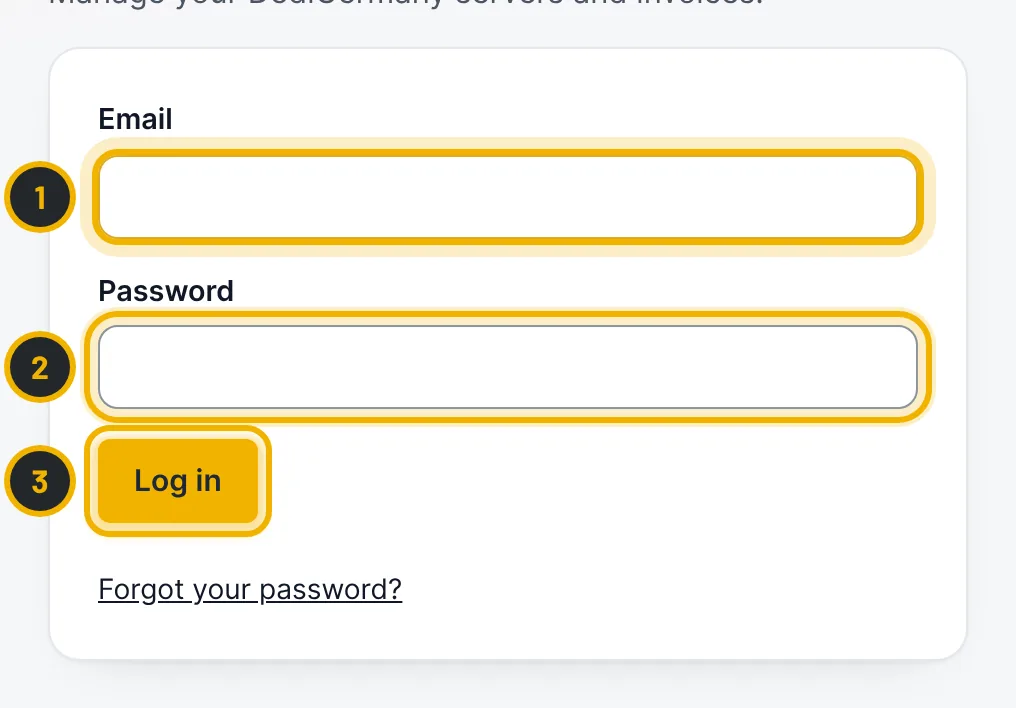
The numbers in the picture match the numbers in the text. Check the dashboard
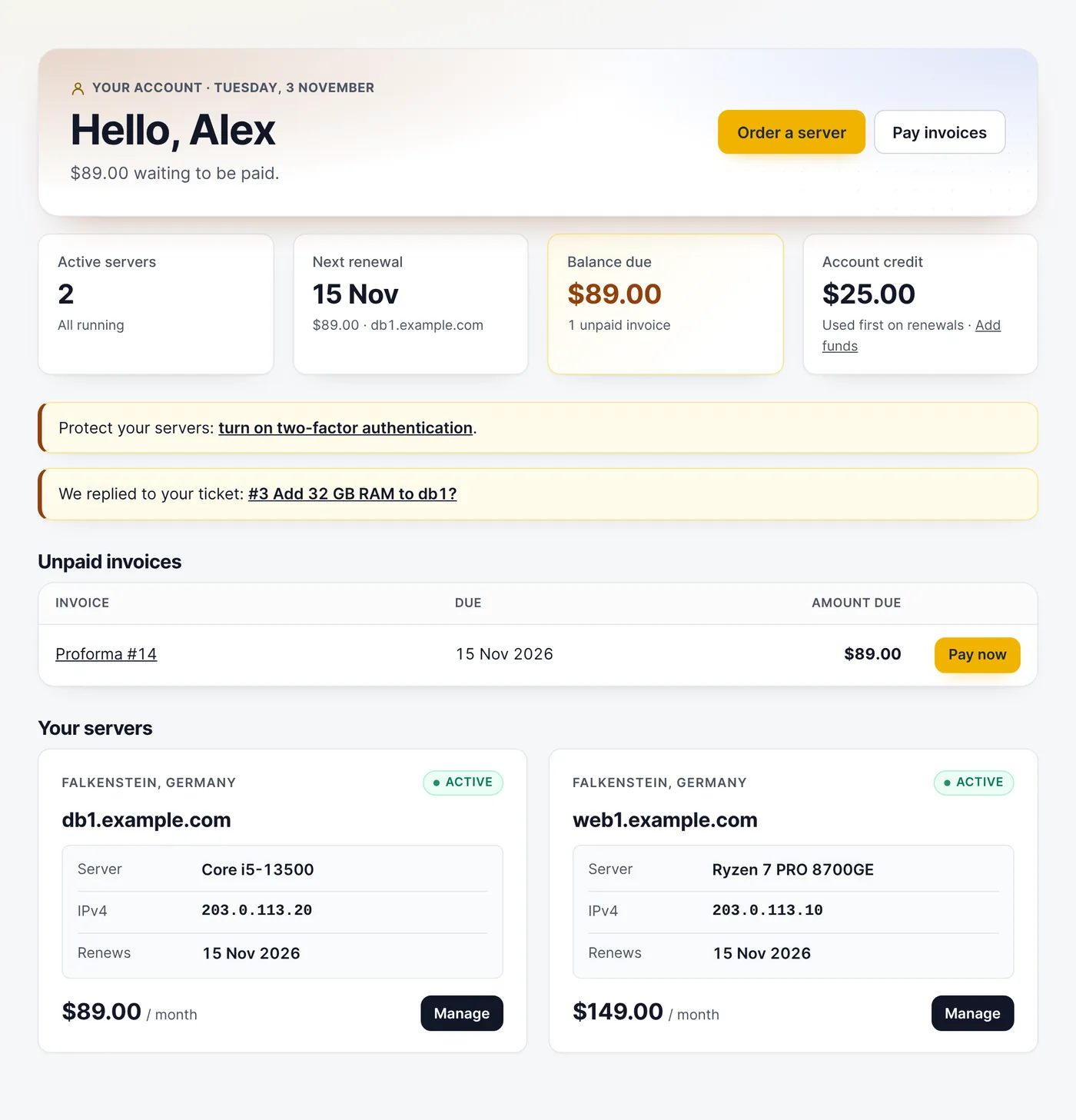
The dashboard shows your running servers, the next renewal, any amount due and your account credit. Notices at the top point you to anything that needs attention, such as an unpaid invoice or a ticket reply. Press Manage on a server to open it.
Find the root password
On the server page, the Access box lists the IPv4 address, the IPv6 network and the user (
root, orAdministratoron Windows). Press Show initial password (1); you may be asked to confirm your password first. Change the password after your first login: the panel removes the initial password after a few days.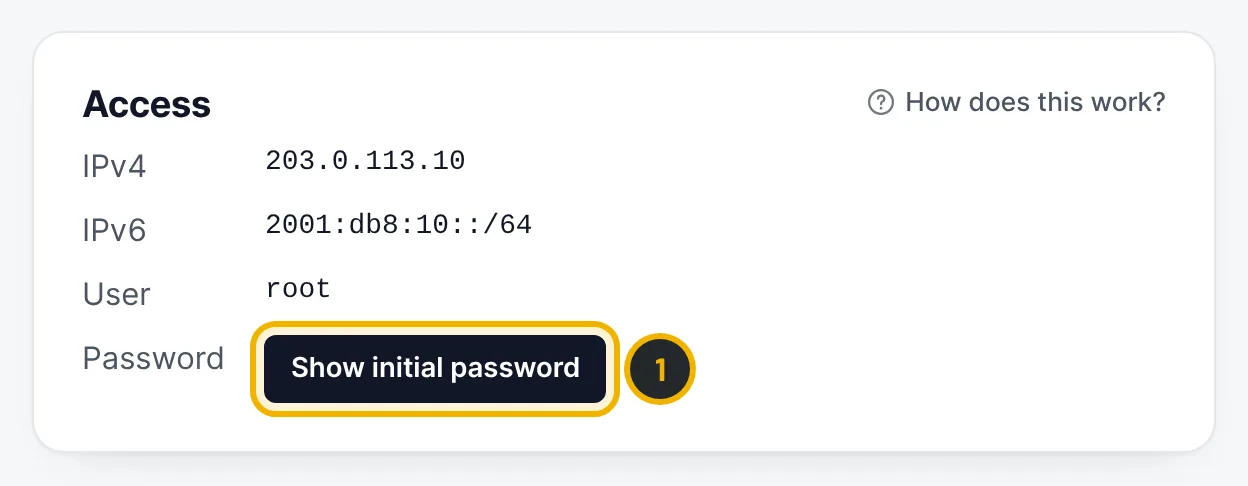
The numbers in the picture match the numbers in the text. Turn on two-factor authentication
Go to Account → Security & 2FA and press Turn on two-factor (1). Scan the QR code with an authenticator app (Google Authenticator, 1Password, Authy, Aegis) and enter the 6-digit code. The panel then shows your recovery codes once: store them somewhere safe, such as a password manager. Each code works once if you lose your phone. From then on every login asks for a code. On the same page you can change your password and log out other sessions.
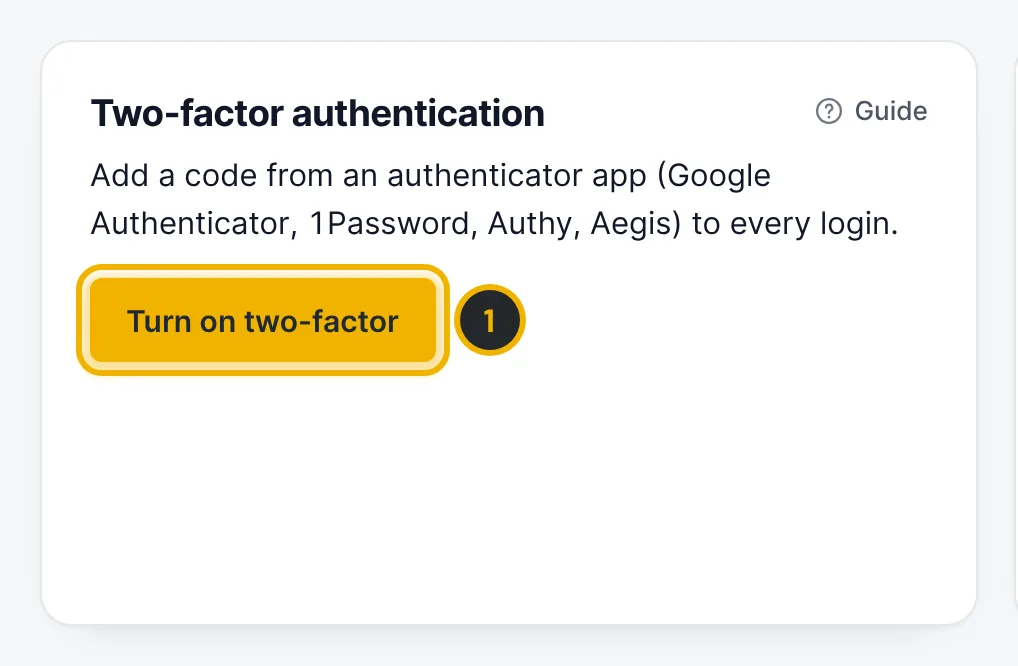
The numbers in the picture match the numbers in the text. Save your SSH keys
Go to Account → SSH keys. Give the key a name (1), paste your public key (the
.pubfile, for examplessh-ed25519 AAAA… you@laptop) (2) and press Save key (3). Saved keys can be added to the root account when you start the rescue system or reinstall a server, so you can log in without a password.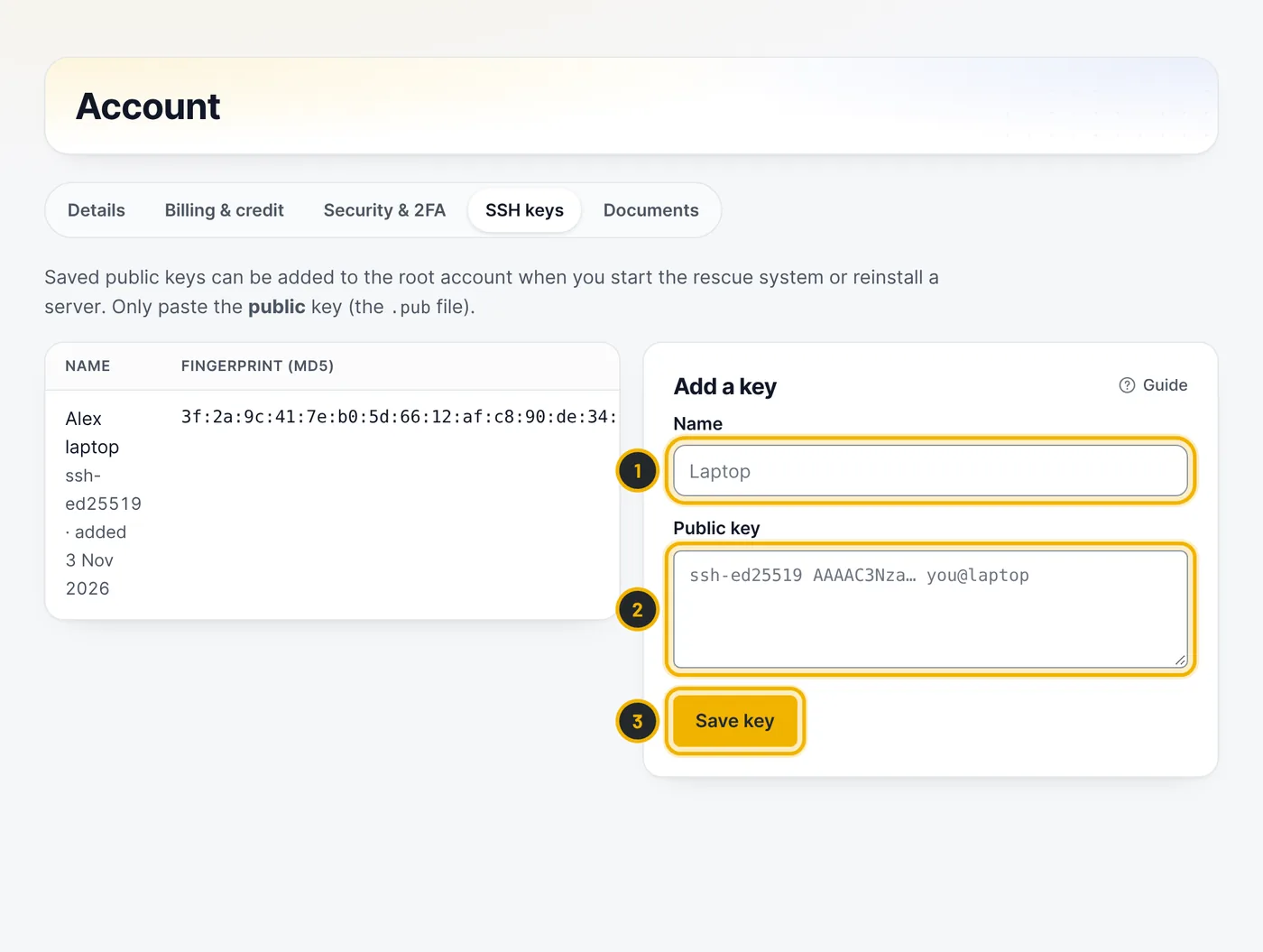
The numbers in the picture match the numbers in the text.
Questions
Can I sign in with Google?
If Google sign-in is shown on the login page, yes: you can link Google to your account and use it instead of a password.
Where do I change my company or billing address?
Under Account → Details. New invoices use the new details.
Related guides
Still stuck?
Our team answers around the clock. Most questions get an answer within the hour.