How to order extra IPv4 addresses
Separate addresses for SSL sites, game communities or customers. $3 a month per address, no setup fee.
- Where
- Servers → your server → Network → IP addresses
- Price
- $3/month per address
- Delivery
- usually within a few hours of payment
Choose how many
Open the server and press Add IPs on the IP addresses tile. Choose how many addresses you need (1).
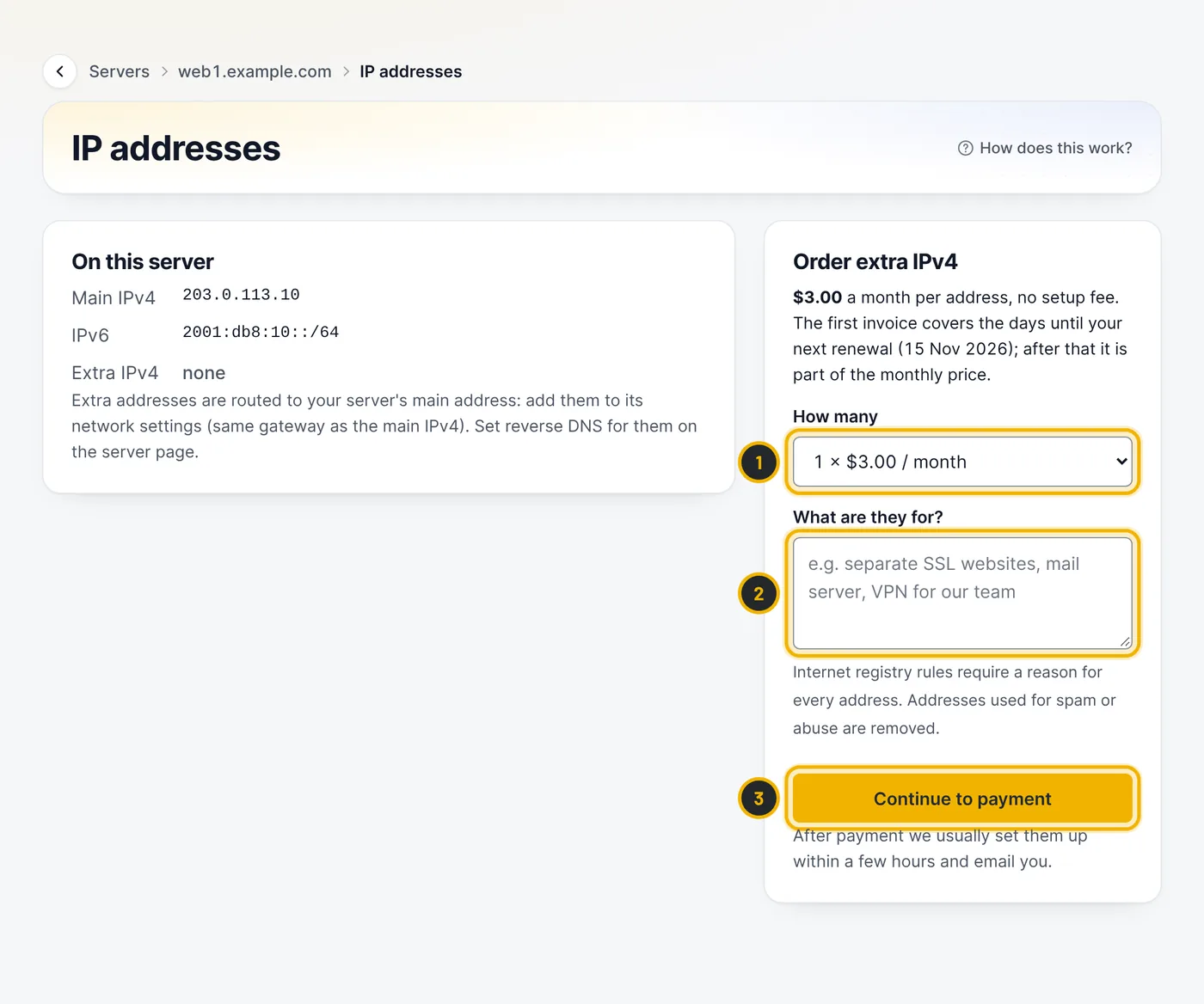
The numbers in the picture match the numbers in the text. Say what they are for
Internet registry rules require a reason for every address, so describe what they are for (2), for example "separate SSL websites" or "VPN for our team". Press Continue to payment (3).
Pay and wait for the email
The first invoice covers the days until your next renewal; after that the addresses are part of the monthly price. After payment we usually set them up within a few hours and email you. Unpaid orders are cancelled after 7 days.
Configure the addresses
Extra addresses are routed to your server's main address: add them to its network settings with the same gateway as the main IPv4. Then set reverse DNS for them on the server page.
Questions
Can I get more IPv6 addresses?
Every server already includes a full /64 IPv6 network, so you have plenty.
Related guides
Free planning tool
- Subnet calculator (IPv4 and IPv6) →
Network, mask, usable range and host count for IPv4 and IPv6, and splitting into subnets.
Still stuck?
Our team answers around the clock. Most questions get an answer within the hour.