How to connect servers with a private network
A private network connects your servers over their own network, separate from the internet. It is free and you set it up yourself.
- Where
- Private networks in the client area
- Price
- free
- Limit
- up to 5 networks
Create the network
Open Private networks in the menu (or the Private networks tile on a server page). Enter a name such as
backend(1), tick the servers to connect (2) and press Create network (3). Only servers in the same part of our network can be joined; the list shows why a server cannot.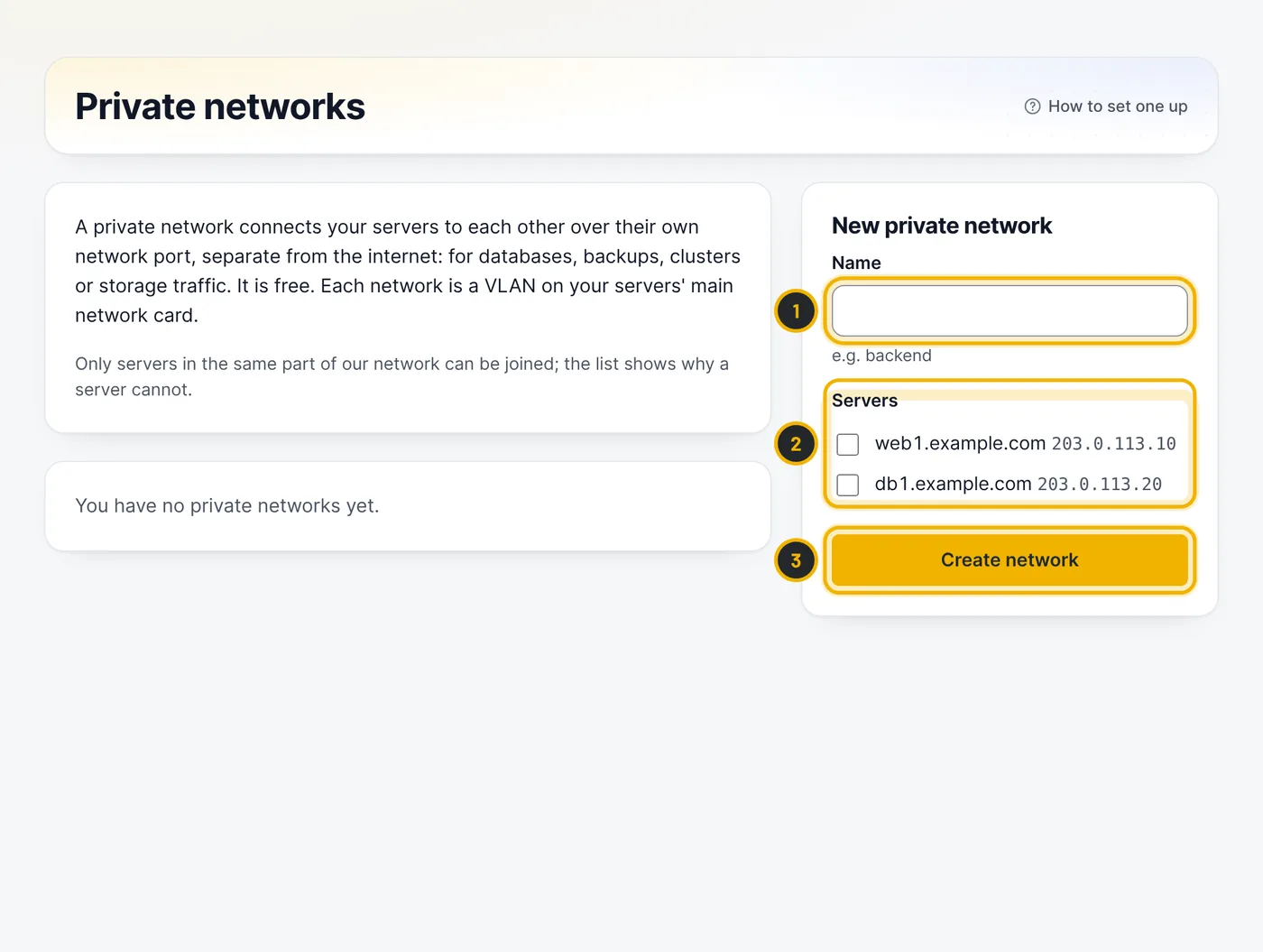
The numbers in the picture match the numbers in the text. Configure each server
The network page shows the VLAN ID and the commands for Linux and Windows Server. The network arrives on the server's main network card as a VLAN. Give every server its own private address in one range (for example
10.0.1.1,.2,.3with/24) and an MTU of 1400. It can take a minute before it works.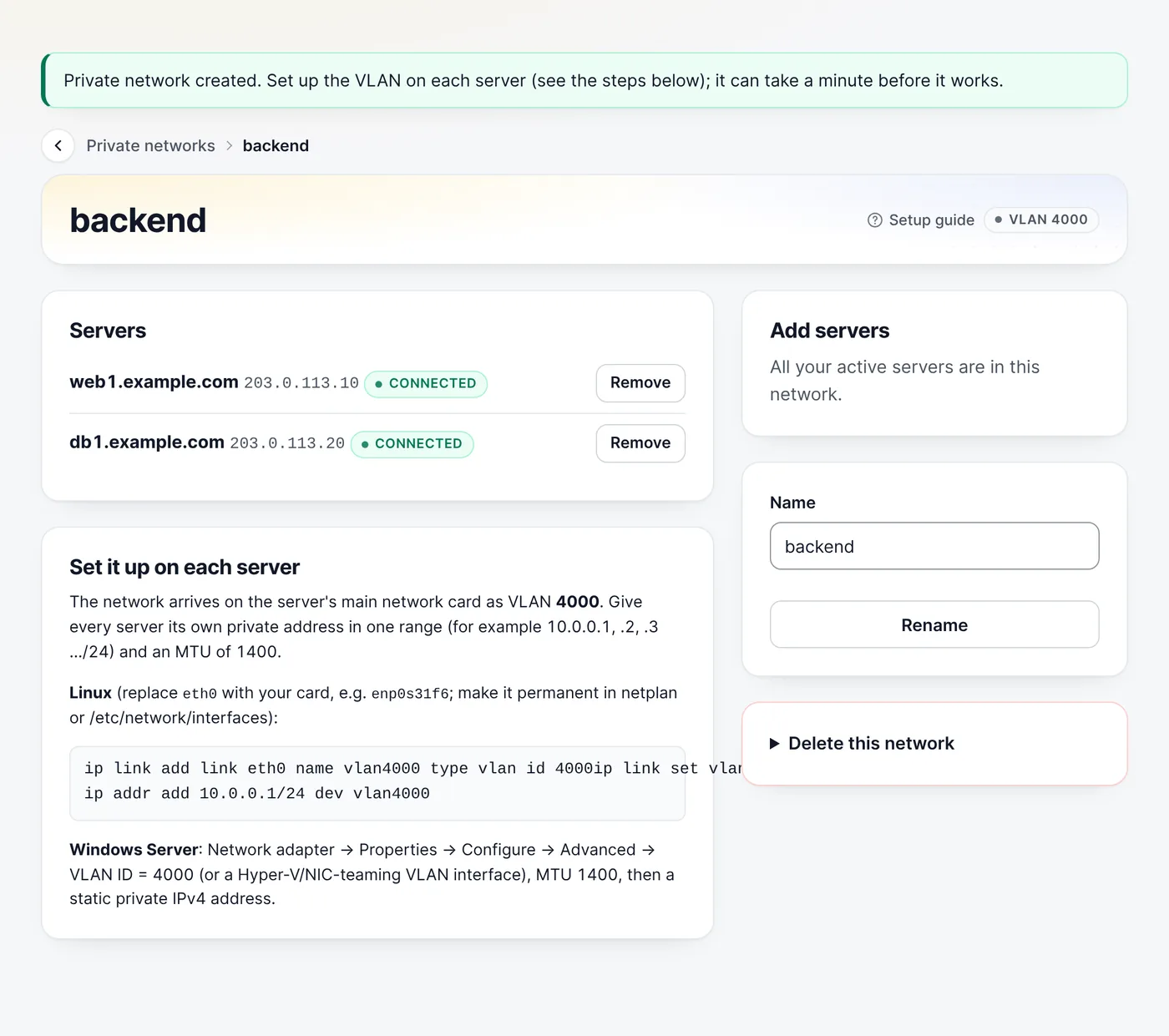
Test it
From one server, ping another one's private address, for example
ping 10.0.1.2. Then point your database replication, backups or cluster traffic at the private addresses.
Questions
Does traffic on the private network count towards anything?
No. Your servers have unmetered traffic, and the private network is free.
Related guides
Still stuck?
Our team answers around the clock. Most questions get an answer within the hour.