RAID 1 vs RAID 10 vs ZFS on dedicated servers
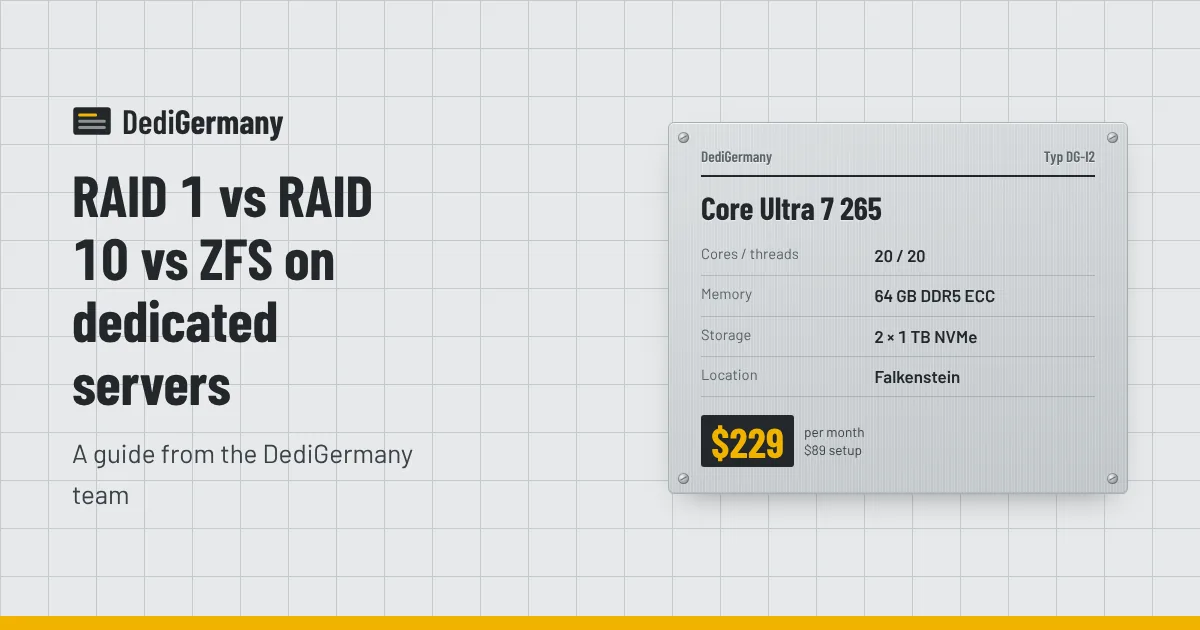
When comparing RAID 1 vs RAID 10 vs ZFS on a dedicated server, the right answer depends mostly on how many drives you have. With two drives, a mirror is the only layout that survives a disk failure, and the real choice is between a Linux software mirror and a ZFS mirror. With four or more drives, RAID 10 and ZFS striped mirrors give you more speed and capacity, and parity layouts open up on large storage servers. This guide walks through each option with capacity figures from our own configurations.
How our servers ship
Our dedicated servers come with NVMe drives in RAID 1 by default. Most plans have two drives, for example 2 × 512 GB on the entry servers and 2 × 1.92 TB of datacenter NVMe on the Ryzen 9 7950X3D. Some plans accept more drives: the Core Ultra 7 265 takes up to 4 × 3.84 TB NVMe DC, and the Xeon Gold 6731P up to 4 × 7.68 TB NVMe DC. Hardware upgrades are quoted on request.
Because you have full root access and a rescue system, you are not locked into the default. You can reinstall with any layout your operating system supports.
RAID 1: the two-drive mirror
RAID 1 writes identical data to two disks. If one fails, the server keeps running on the other, and the array rebuilds when the failed drive is replaced. Our 24/7 on-site team handles the physical swap.
- Usable capacity: one drive's worth. 2 × 1.92 TB gives 1.92 TB.
- Survives: one drive failure.
- Performance: reads can be served from either disk; writes go at the speed of a single drive.
On Linux this is usually done with mdadm. It is simple, mature and well understood by every rescue tool. For most two-drive servers running web stacks, game servers or small databases, it is the sensible default.
RAID 10: striped mirrors for four drives and up
RAID 10 pairs drives into mirrors, then stripes data across the pairs. With four drives you get two mirrors working in parallel.
- Usable capacity: half the raw total. 4 × 3.84 TB gives 7.68 TB; 4 × 7.68 TB gives 15.36 TB.
- Survives: one drive failure for certain, and a second if it is in the other mirror pair.
- Performance: better write throughput and random I/O than RAID 1, and rebuilds only copy one drive's data from its partner.
RAID 10 is the classic choice for busy databases and virtualisation hosts where write latency matters. If you are running PostgreSQL on four NVMe drives, it is hard to beat; our database server page covers suitable plans.
ZFS: filesystem and volume manager in one
ZFS is not just a RAID level. It combines the volume manager and filesystem, so it can do things a block-level mirror cannot:
- Checksums on every block. ZFS detects silent corruption and, in a redundant layout, repairs it from the good copy. A regular scrub reads all data and fixes problems before you need the data.
- Snapshots. Instant, space-efficient point-in-time copies. Rolling back a bad upgrade takes seconds.
- Send and receive. Snapshots can be streamed to another machine incrementally, which makes off-server replication straightforward.
- Compression. LZ4 or zstd compression is cheap on modern CPUs and often saves space on logs, databases and VM images.
ZFS layouts map onto the familiar RAID levels. A two-drive ZFS mirror is the equivalent of RAID 1; a pool of two mirror vdevs is the equivalent of RAID 10. On larger arrays, raidz1 and raidz2 use one or two drives' worth of parity, like RAID 5 and RAID 6.
The trade-offs: ZFS uses RAM for its ARC cache (you can cap it), it is not included in the mainline Linux kernel and so depends on distribution packaging, and growing a pool has more rules than growing an mdadm array. ZFS is also commonly run on ECC memory, since its checksums cannot protect data that was already wrong in RAM; see ECC vs non-ECC memory. Proxmox VE offers ZFS in its installer, which is why it is a popular pairing; our Proxmox setup guide walks through a ZFS mirror install.
Capacity compared
Here is usable space for each layout on configurations from our range. Figures are in decimal TB after redundancy, before filesystem overhead; most tools report capacity in TiB, which shows roughly 9% less.
| Drives | RAID 1 / ZFS mirror | RAID 10 / striped mirrors | RAID 5 / raidz1 | RAID 6 / raidz2 |
|---|---|---|---|---|
| 2 × 1.92 TB NVMe DC | 1.92 TB | n/a | n/a | n/a |
| 4 × 3.84 TB NVMe DC | 3.84 TB (4-way mirror) | 7.68 TB | 11.52 TB | 7.68 TB |
| 4 × 7.68 TB NVMe DC | 7.68 TB (4-way mirror) | 15.36 TB | 23.04 TB | 15.36 TB |
| 4 × 16 TB HDD (Storage 64 TB) | 16 TB (4-way mirror) | 32 TB | 48 TB | 32 TB |
On four drives, RAID 6 or raidz2 gives the same capacity as RAID 10 but survives any two drive failures, at the cost of slower writes and longer rebuilds. On large hard drives, where a rebuild can take many hours, that extra margin is why parity with two drives of redundancy is the usual recommendation. Our storage servers with 4, 8 or 14 hard drives are where raidz2 makes the most sense, and the backup storage guide works through the capacity maths in more detail.
RAID 1 vs RAID 10 vs ZFS: which layout to choose
| Situation | Recommended layout |
|---|---|
| Two NVMe drives, general workloads | RAID 1 with mdadm (the default) |
| Two NVMe drives, want snapshots or replication | ZFS mirror |
| Four NVMe drives, database or busy VMs | RAID 10 or ZFS striped mirrors |
| Four NVMe drives, capacity matters more than write speed | raidz1 or RAID 5, with good backups |
| Large HDD arrays for files or backups | raidz2 or RAID 6 |
Avoid RAID 0 on a server you care about. It stripes without redundancy, so one failed drive loses everything on the array.
RAID is not a backup
Every layout in this article protects against one thing: a drive dying. None of them protect you from:
- Deleting the wrong directory or dropping the wrong table. The deletion is mirrored instantly.
- Ransomware or a compromised account encrypting your data.
- A bad application update corrupting files.
- Losing the whole server, whether through a controller fault, a billing lapse or a mistake during reinstall.
ZFS snapshots help with the first three, but they still live on the same machine. You need a copy somewhere else. Our 1 TB backup storage add-on costs $6 a month and works well as a target for restic, borg or rsync; for larger data sets, a second server in our Falkenstein datacenter receiving ZFS snapshots is a solid pattern. Follow the 3-2-1 rule: three copies, on two kinds of storage, with one off the server.
You can add backup storage and request extra drives from our dedicated server plans and add-ons page.