Windows dedicated server: licensing and setup
A Windows dedicated server gives you a whole physical machine running Windows Server, with full administrator access over Remote Desktop. The part that catches most buyers out is licensing: Windows Server 2025 is licensed per physical core, so the CPU you pick affects the licence cost as much as the hardware price. This guide explains how per-core licensing works, how to secure remote access, when you need RDS CALs, and which of our plans fits typical Windows workloads.
How Windows Server 2025 licensing works
Microsoft licenses Windows Server Standard and Datacenter by physical core, not by socket or by server. The core rules are well established:
- every physical core in the server must be licensed;
- there is a minimum of 8 core licences per processor and 16 per server;
- core licences are sold in packs of two.
In practice, any single-socket server with 16 cores or fewer costs the same to license: the 16-core minimum. Above 16 cores the licence grows with the core count. That is why a 48-core server costs far more to license than a 14-core one, even before you look at the hardware.
Standard vs Datacenter
Windows Server Standard covers the physical server plus up to two virtual machines running Windows Server when all cores are licensed. Datacenter allows unlimited Windows Server virtual machines on the licensed host. For a single application server or a handful of VMs, Standard is the usual choice. Our add-on is Windows Server 2025 Standard, from $39/mo.
Picking a plan for a Windows dedicated server
Because the first 16 cores share a minimum licence, the best-value Windows servers tend to have no more than 16 physical cores and high clock speeds.
| Plan | Cores / threads | Boost | Memory | Storage | Price |
|---|---|---|---|---|---|
| Core i5-13500 | 14 / 20 | 4.8 GHz | 64 GB DDR4 | 2 × 512 GB NVMe | $89/mo, $0 setup |
| Ryzen 9 7950X3D | 16 / 32 | 5.7 GHz | 128 GB DDR5 ECC | 2 × 1.92 TB NVMe DC | $389/mo, $159 setup |
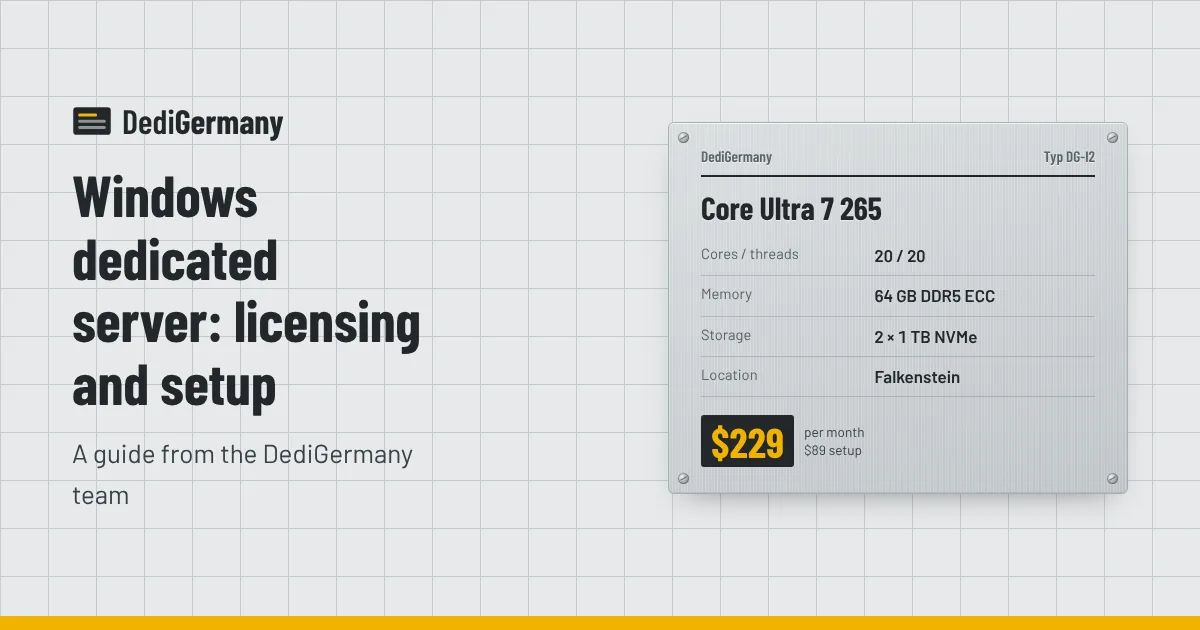
| Core Ultra 7 265 | 20 / 20 | 5.3 GHz | 64 GB DDR5 ECC (max 192 GB) | 2 × 1 TB NVMe | $229/mo, $89 setup |
- Core i5-13500: the starting point for a single business application, a small SQL Server Express instance, a trading platform or a lightly used remote desktop server. Its 14 cores sit under the 16-core minimum.
- Ryzen 9 7950X3D: exactly 16 cores, so it gets the most compute available at the minimum licence level, plus 128 GB of ECC memory and datacenter NVMe. A strong choice for SQL Server, ERP systems and busy RDS hosts.
- Core Ultra 7 265: 20 cores with ECC memory that can grow to 192 GB. It goes above the 16-core minimum, so check the licence add-on price for this plan, but it gives more parallel capacity for Hyper-V or many concurrent users.
For a broader overview of Windows hosting options, see our Windows dedicated server in Germany page.
Remote Desktop: access and security
You manage a Windows dedicated server over Remote Desktop Protocol (RDP). It is convenient and also one of the most attacked services on the internet, so lock it down from day one.
- Use a strong, unique administrator password and consider renaming the default Administrator account.
- Enable Network Level Authentication so clients must authenticate before a session is created.
- Restrict RDP by IP address in Windows Defender Firewall if you connect from fixed locations.
- Consider a VPN such as WireGuard and only allow RDP over the tunnel.
- Turn on account lockout policies to slow down brute-force attempts.
- Keep Windows Update running and schedule a regular maintenance window for reboots.
DDoS protection is included with every server, but it does not replace these steps: it filters volumetric attacks, not password guessing. Our dedicated server security checklist covers the first 24 hours in more detail.
RDS CALs: when you need them
Windows Server includes two simultaneous Remote Desktop sessions for administration. That is enough for you and a colleague to manage the server. It is not licensed for using the server as a shared desktop for staff or customers.
If several people will log in to run applications, you need the Remote Desktop Session Host role and a Remote Desktop Services Client Access Licence (RDS CAL) for each user or device that connects. There are two types:
- Per user: one CAL per named person, regardless of how many devices they use.
- Per device: one CAL per device, regardless of how many people share it.
RDS CALs are licensed separately from the Windows Server licence. If you plan a multi-user remote desktop deployment, contact us before ordering so we can confirm the licensing set-up with you.
Setting up your Windows server
Once the server is delivered, a sensible first-day routine looks like this:
- Connect over RDP with the credentials provided and change the password immediately.
- Run Windows Update until no updates remain.
- Configure the firewall rules for RDP and any services you will expose.
- Check that both NVMe drives are healthy and the RAID 1 mirror is in place.
- Install your roles: IIS, SQL Server, Hyper-V or Remote Desktop Services as needed.
- Set up backups. A 1 TB backup storage add-on costs $6/mo, and Windows Server Backup or third-party tools can write to it.
- If you need more public addresses for Hyper-V guests, order extra IPv4 addresses at $3/mo each or a /29 subnet at $25/mo.
If you would rather not handle patching and monitoring yourself, managed support is available for $49/mo.
Common Windows workloads and what they need
- Business applications and ERP. Usually a mix of an application service and SQL Server. Memory and fast storage matter most; ECC memory protects the database.
- Remote desktop for staff. Each concurrent user adds memory and CPU load. Plan generously for RAM and remember the RDS CAL requirement.
- Trading and automation platforms. Typically single-threaded and sensitive to clock speed, so high boost clocks help more than extra cores.
- Hyper-V hosts. Standard licensing covers two Windows Server guests when all cores are licensed. Beyond that, compare the cost of extra Standard licences against Datacenter.
- Game servers on Windows. Some dedicated server builds only ship for Windows. See our game server hosting page for suitable plans.
Windows on AMD or Intel?
Windows Server 2025 runs well on both. The Core i5-13500 gives you the most threads for the money, and the Ryzen 9 7950X3D's large cache helps database workloads. Our AMD vs Intel comparison goes through the differences by workload, and the Intel server line lists every Intel option.
For most small Windows deployments the Core i5-13500 plan with the Windows Server 2025 Standard add-on is the place to start. To compare every plan and add-on price, see the dedicated server list.