How to get support: tickets and live chat
Our team answers around the clock. A ticket keeps the full history of your request in one place.
- Where
- Support in the client area
- Hours
- 24/7
- Attachments
- up to 3 files, 5 MB each
Open a ticket
Go to Support and press Open a ticket, or press Open a ticket about this server on a server page. Choose the department (1) and the server (2), write a short subject (3) and describe the problem (4): what you tried and any error messages. Press Send (5).
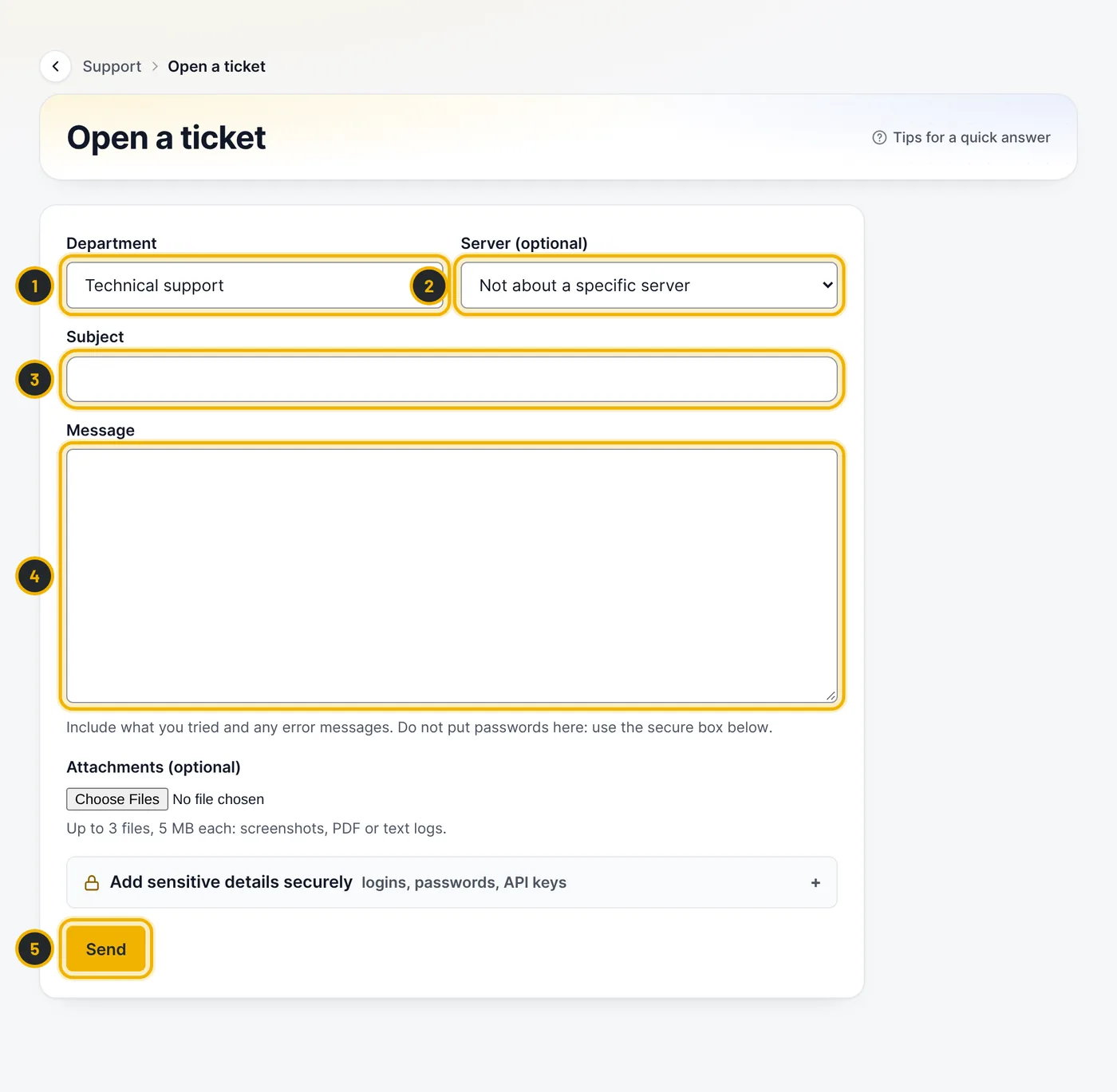
The numbers in the picture match the numbers in the text. Share passwords safely
Never put passwords in the message. Use Add sensitive details securely below the message instead: the details are stored encrypted, never sent by email, shown only when someone presses Show (each view is logged), and wiped when the ticket is closed. You can also delete them yourself.
Follow the conversation
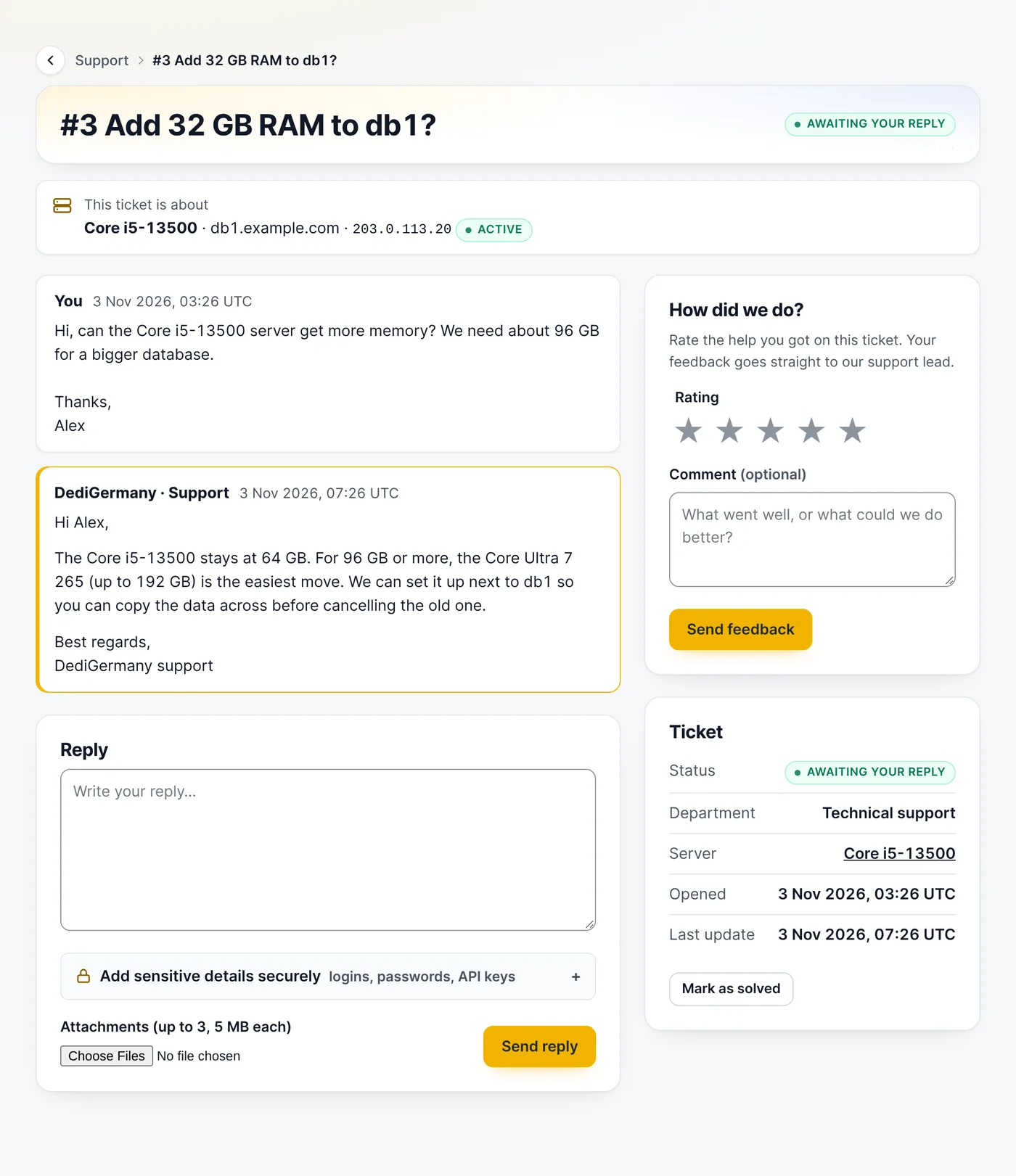
We email you when we reply. The ticket page shows the whole conversation; write your answer under Reply. When the problem is solved, press Mark as solved and, if you like, rate our help.
Questions
How fast do you answer?
Most questions get an answer within the hour, day and night.
Related guides
Still stuck?
Our team answers around the clock. Most questions get an answer within the hour.