Invoices, payments, saved cards and auto-pay
How renewals work, how to pay an invoice and how to make renewals pay themselves.
- Where
- Invoices and Account → Billing & credit
- Currency
- US dollars
- Methods
- card, PayPal, crypto, bank transfer
Find your invoices
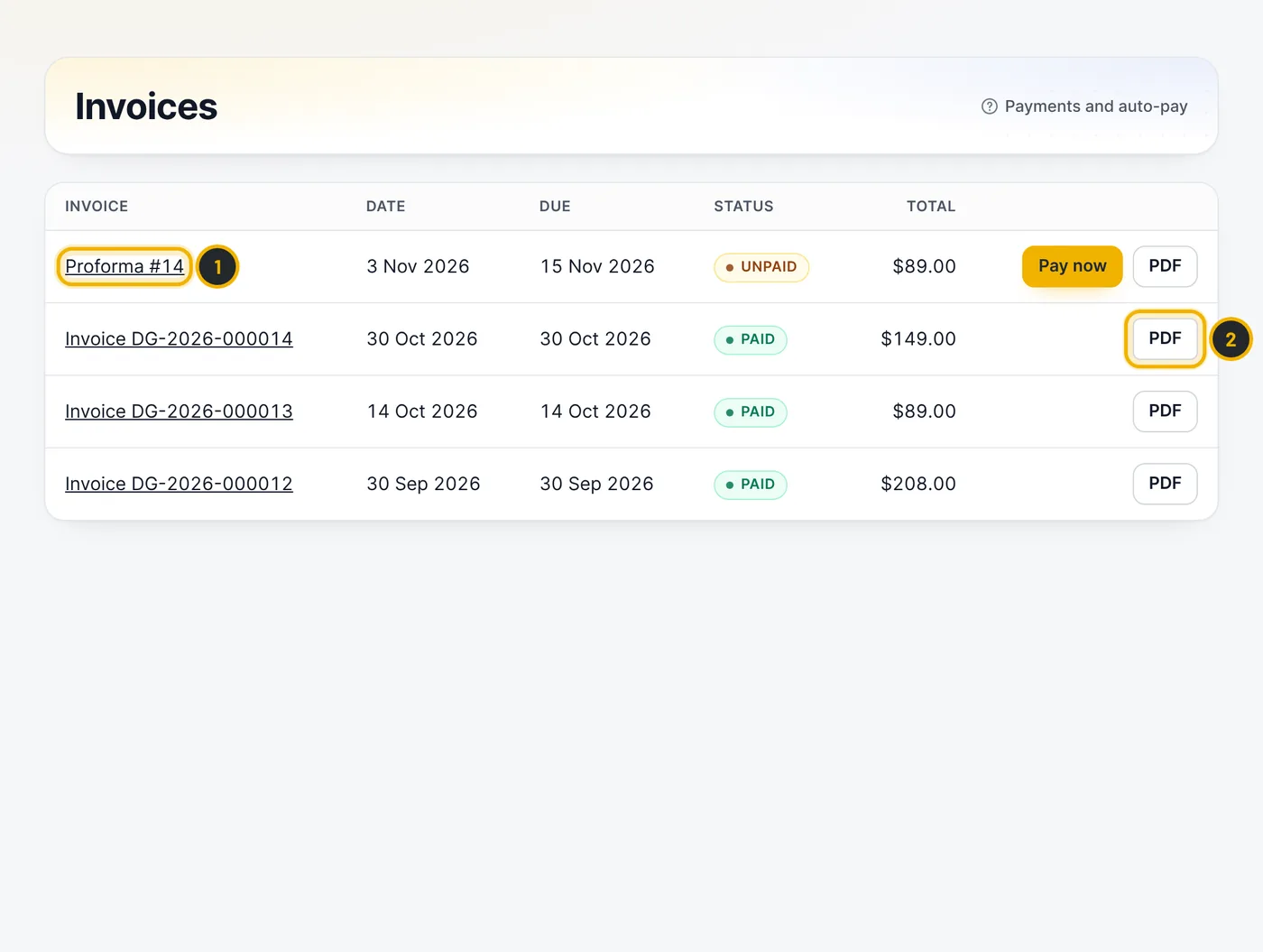
Open Invoices. An unpaid invoice is shown as a proforma (1) until it is paid; it then gets an invoice number. Press PDF (2) to download any invoice.
The numbers in the picture match the numbers in the text. Pay an invoice
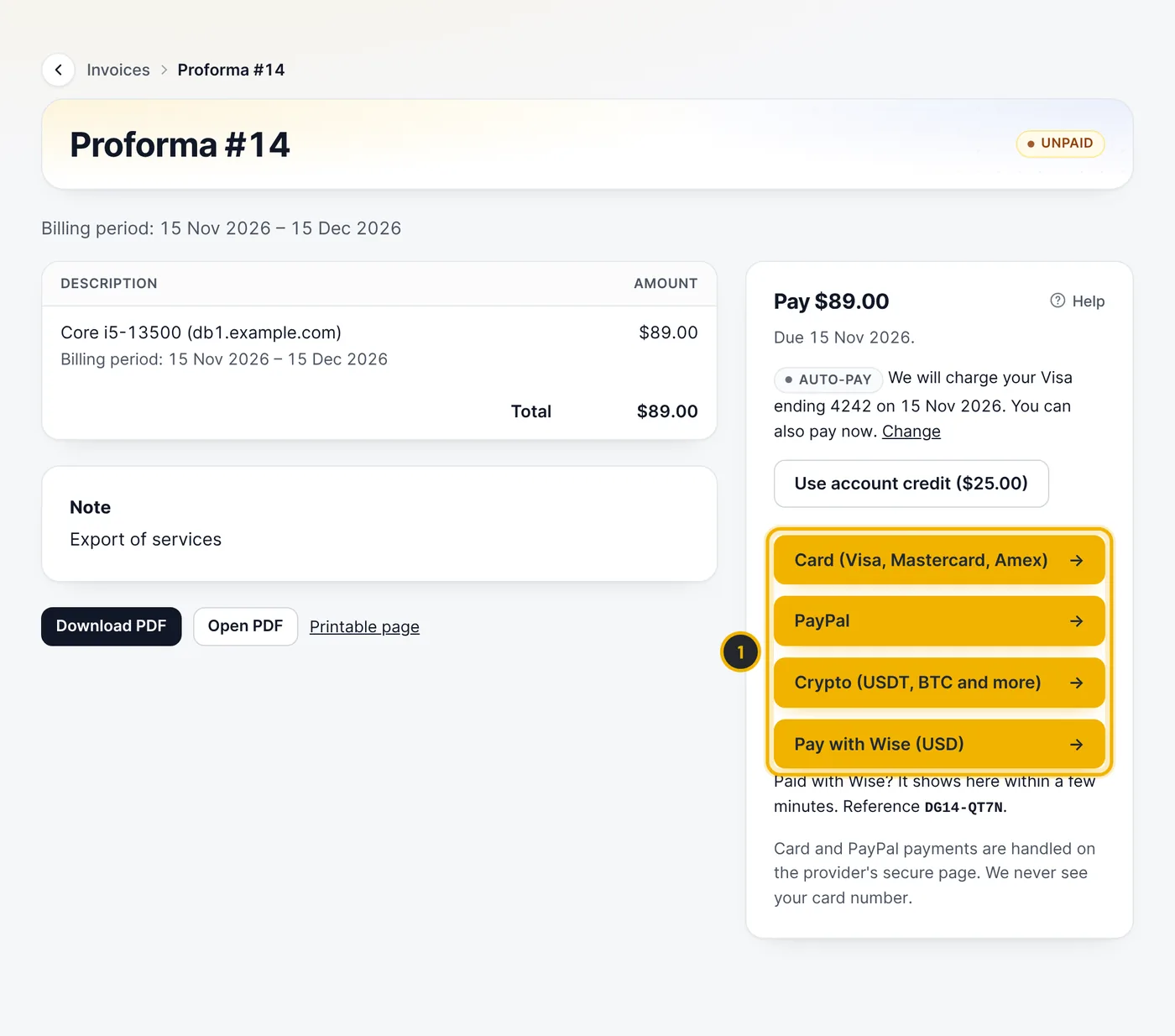
Open the invoice and choose a payment method (1). Account credit is used first if you have any. Renewal invoices are created 7 days before the due date and the dashboard shows what is due.
The numbers in the picture match the numbers in the text. Turn on automatic payment
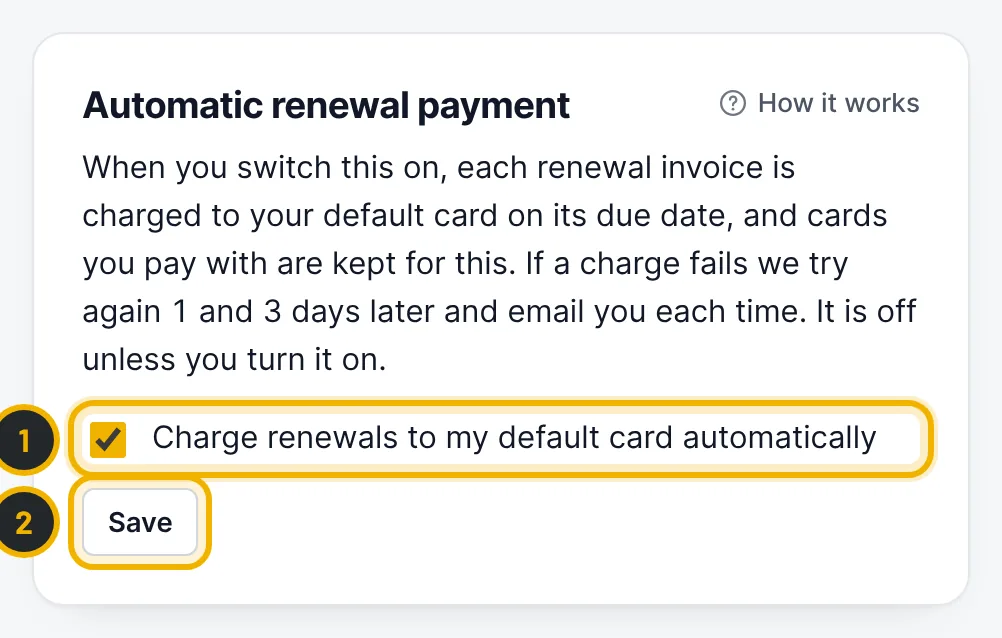
Go to Account → Billing & credit. Once you have paid with a card, it is saved here. Tick Charge renewals to my default card automatically (1) and press Save (2). Each renewal is then charged on its due date; if a charge fails we try again 1 and 3 days later and email you each time.
The numbers in the picture match the numbers in the text. Add account credit
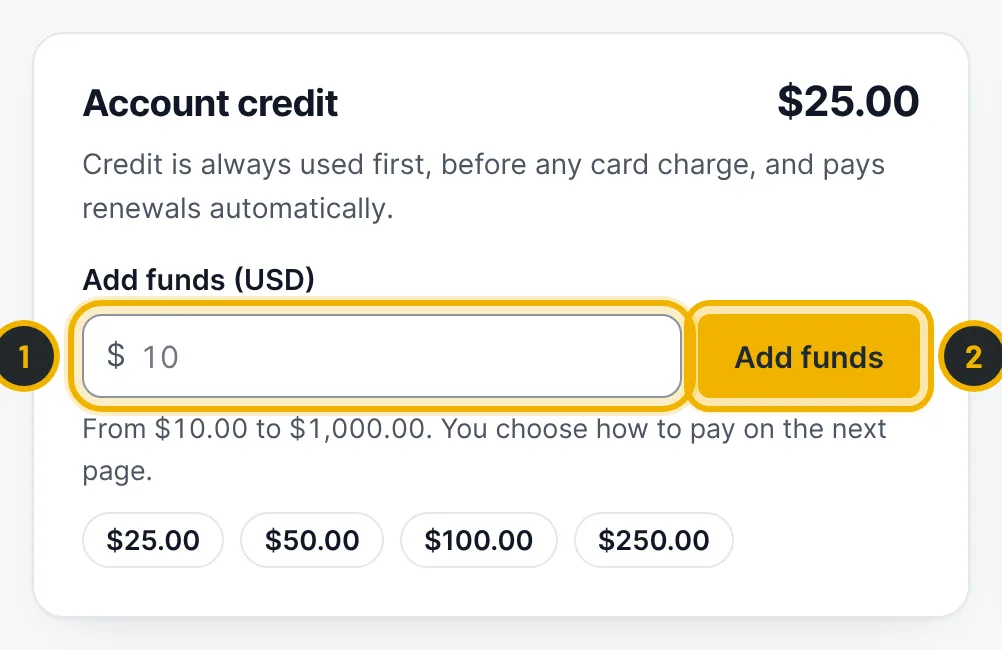
On the same page, enter an amount between $10 and $1,000 (1) and press Add funds (2). Credit is always used first, before any card charge, and pays renewals automatically.
The numbers in the picture match the numbers in the text.
Questions
What happens if I do not pay a renewal?
You get reminders by email. If a renewal is still unpaid 3 days after the due date, the server can be suspended until the invoice is paid. Pay as soon as you can: a server that stays unpaid is eventually ended and its data erased.
Related guides
Still stuck?
Our team answers around the clock. Most questions get an answer within the hour.