How to reinstall the operating system
Start again with a clean system in a few clicks. The panel offers Debian, Ubuntu, AlmaLinux, Rocky Linux and more.
- Where
- Servers → your server → Server controls → Reinstall operating system
- Time
- 10 to 30 minutes
- Data
- every disk is erased
Back up first
A reinstall erases every disk in the server. Copy anything you need to keep to another machine or to backup storage before you start.
Choose the image and keys
Open the server, then Server controls → Reinstall operating system. Pick the operating system (1) and, optionally, the SSH keys to add for root (2).
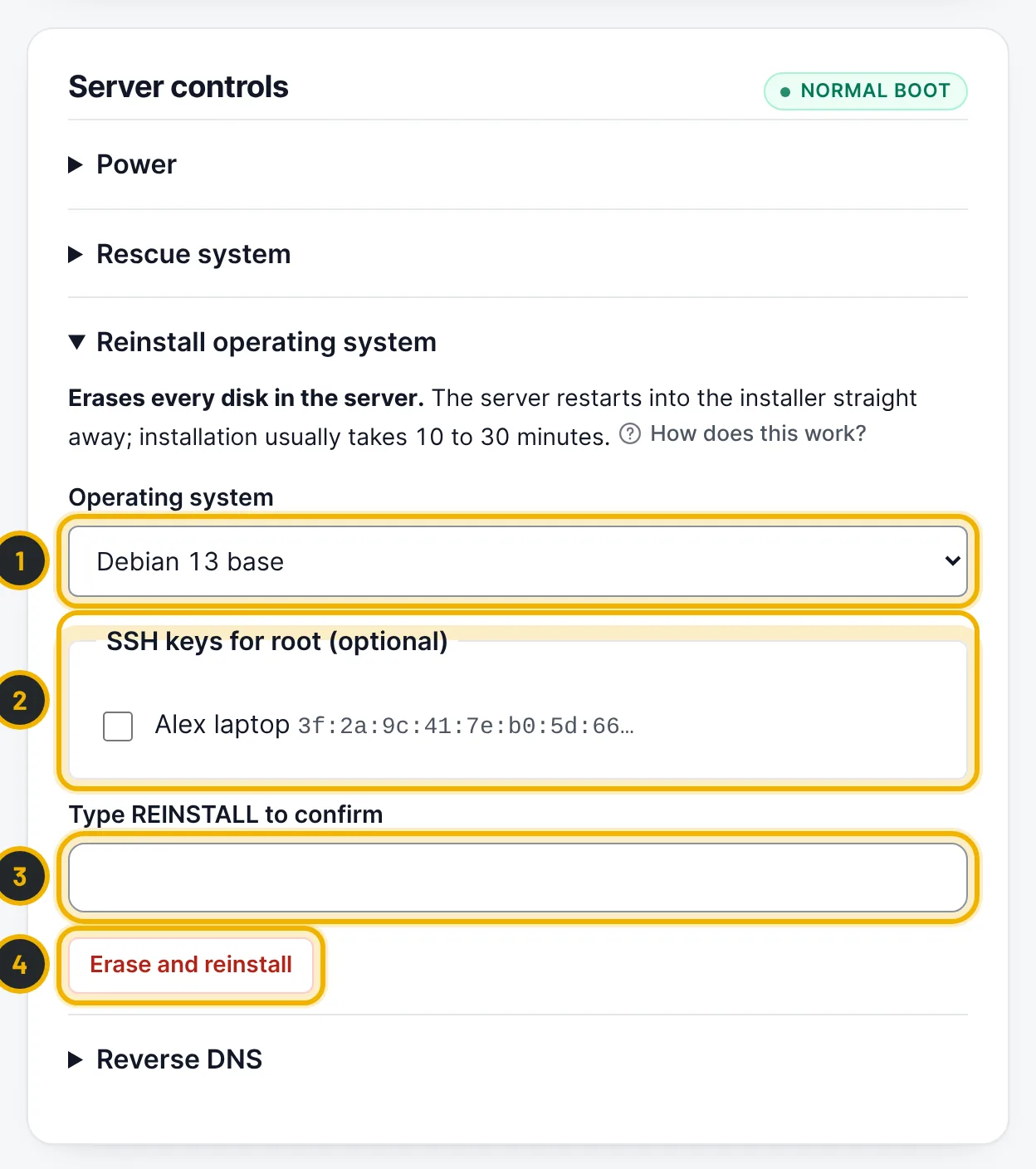
The numbers in the picture match the numbers in the text. Confirm and start
Type
REINSTALLin the confirmation field (3) and press Erase and reinstall (4). You may be asked to confirm your password. The panel shows the new root password once: copy it. The server restarts into the installer straight away.Log in to the new system
After 10 to 30 minutes, connect with
ssh root@your-server-ipusing the new password or your key. The server page shows reinstall armed while the installer is waiting; you can still press Cancel pending reinstall if the server has not restarted yet.
Questions
Can I reinstall Windows Server myself?
Not from the panel: the automatic reinstall offers Linux images. Open a ticket and our team reinstalls Windows Server for you.
Related guides
Still stuck?
Our team answers around the clock. Most questions get an answer within the hour.