Dedicated server vs VPS: when to make the move
The core difference in the dedicated server vs VPS question is tenancy. A VPS is a slice of a physical machine shared with other customers; a dedicated server is a whole physical machine that only you use. A VPS is the right start for small projects, and a dedicated server becomes the better deal once you need consistent performance, lots of memory or fast disks. This article explains the trade-offs and the signs that it is time to move.
Dedicated server vs VPS: how they differ
A VPS (virtual private server) runs as a virtual machine on a host managed by the provider. A hypervisor divides the host's CPU cores, memory, storage and network between many customers. You get root access to your VM, but not to the hardware underneath.
A dedicated server, also called bare metal, gives you the physical machine. Every core, every gigabyte of memory and every disk is yours. You choose the operating system, the disk layout and whether to run a hypervisor at all. Our explainer on bare metal servers in Germany covers this in more depth.
| VPS | Dedicated server | |
|---|---|---|
| Tenancy | Shared host with other customers | Single tenant |
| CPU | vCPUs, often shared or overcommitted | All physical cores and threads |
| Disk | Virtual disk on shared storage | Local NVMe you control (RAID 1 on our servers) |
| Performance | Can vary with other tenants' load | Consistent |
| Scaling | Resize in minutes | Upgrade or add servers |
| Starting cost | Very low | Higher entry price |
| Cost at scale | Rises quickly with cores and RAM | Lower per core and per GB |
Noisy neighbours and resource contention
The best-known VPS problem is the noisy neighbour: another tenant on the same host runs something heavy and your VM slows down. It shows up in several ways:
- CPU steal time. On Linux, the
stvalue intopshows time your VM wanted the CPU but the hypervisor gave it to someone else. Regular non-zero steal means you are competing for cores. - Disk latency spikes. Shared storage is busy when other VMs run backups or database jobs, so your queries wait.
- Memory bandwidth and cache. Even with pinned cores, VMs share the processor's cache and memory controller.
Good VPS providers manage this well, and for many workloads it never becomes a problem. But you cannot control it, and you often cannot see it either. On a dedicated server the only load on the machine is yours, so a benchmark you run today still holds next month.
Resources: what you actually get for the money
Look at what our entry-level dedicated servers include for $89 a month:
- The Ryzen 5 3600: 6 cores and 12 threads up to 4.2 GHz, 64 GB of DDR4 and 2 × 512 GB NVMe.
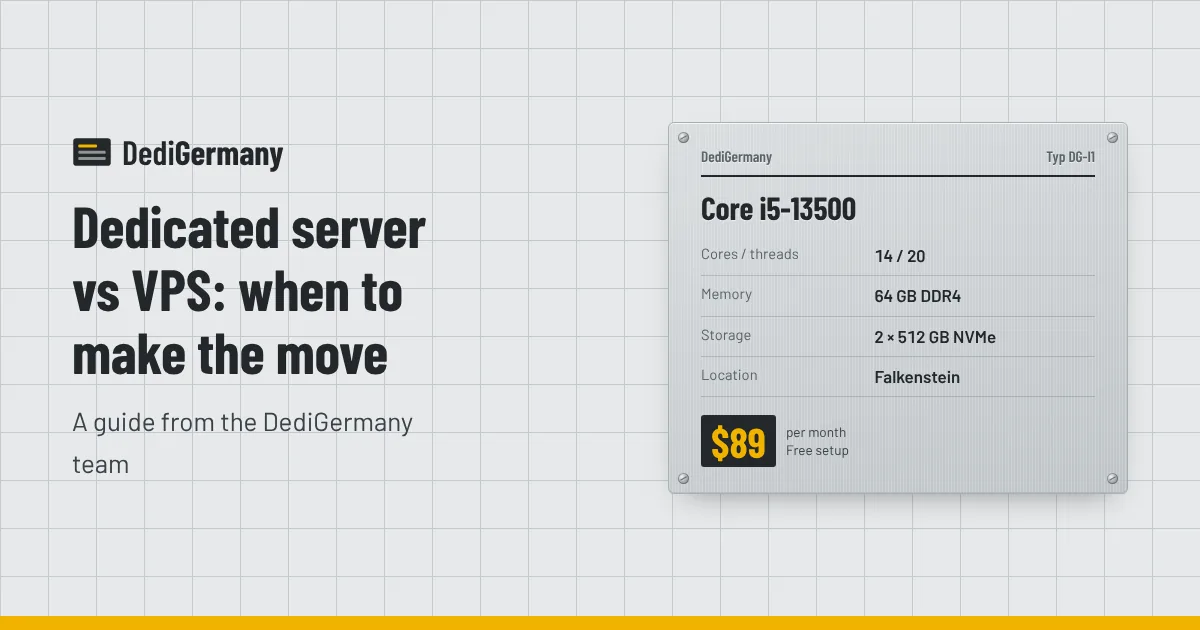
- The Core i5-13500: 14 cores and 20 threads up to 4.8 GHz, 64 GB of DDR4 and 2 × 512 GB NVMe.
Both include an unmetered 1 Gbit/s port, DDoS protection, one IPv4 address and a /64 IPv6 block, and neither has a setup fee. The two NVMe drives run in RAID 1, so a single drive failure does not take the server down.
Compare that with the VPS plan you are on now. Count the vCPUs, check whether they are dedicated or shared, and look at the memory, disk size and traffic allowance. Then price a VPS with 64 GB of memory and check whether its traffic is unmetered; that is the fair comparison.
Where the cost crosses over
VPS pricing is close to linear: double the vCPUs and memory, and the price roughly doubles. Dedicated server pricing is more stepped, and the first step already includes a lot of hardware. That creates a crossover point.
- Small sites and test environments with one or two vCPUs and a few gigabytes of RAM: a VPS is clearly cheaper.
- Mid-sized workloads that need several dedicated vCPUs and 16-32 GB of RAM: prices start to meet. Check your actual bill, including extra storage, backups and traffic.
- Anything needing 64 GB or more, or heavy disk I/O: a dedicated server is usually cheaper and faster.
Remember to count the extras on both sides. With us, extra IPv4 addresses are $3 a month, 1 TB of backup storage is $6 a month and managed support is $49 a month if you want help running the server. Our post on cheap dedicated servers in Germany walks through the hidden costs to check.
Signs it is time to move from VPS to dedicated
- You have resized your VPS several times and the bill keeps climbing.
- Response times vary through the day with no change in your own traffic.
- Steal time or disk wait shows up regularly in monitoring.
- Your database no longer fits in memory and queries hit the disk.
- You are paying for traffic overages or worrying about bandwidth caps.
- You want to run your own VMs or containers with full control over the host.
- You need hardware features a VPS cannot offer, such as ECC memory, specific CPUs or large local NVMe.
If two or three of these apply, a dedicated server will likely save money and remove a class of performance problems. Our guide to migrating from a VPS to a dedicated server covers planning, data sync, DNS and cutover.
When a VPS is still the better choice
A dedicated server is not always the answer. Stay on a VPS if your workload is small and steady, if you need to resize several times a week, or if you want the provider to handle the underlying hardware completely. A dedicated server also takes more care: you are responsible for the operating system, security updates and backups, unless you add managed support.
A middle path is to rent a dedicated server and run your own virtual machines on it. With Proxmox VE on a dedicated server you split one machine into many VMs, keep the flexibility of virtualisation and remove other tenants from the picture.
Which dedicated server to move to
For most people leaving a VPS, the $89 Core i5-13500 or Ryzen 5 3600 is plenty. If you need ECC memory for a database or VMs, the Ryzen 7 PRO 8700GE at $149 a month adds 64 GB of DDR5 ECC. For heavy databases or busy game servers, the Ryzen 9 7950X3D brings 16 fast cores and 128 GB of ECC memory. Most servers are online within 24 hours, and billing is monthly with no minimum term.
Compare every configuration on our dedicated servers page, or check the server auction for refurbished machines with no setup fee.