Dedicated server vs cloud: cost and trade-offs
The dedicated server vs cloud decision comes down to how your workload behaves. If it runs all day at a fairly steady load and moves a lot of data, a dedicated server is usually cheaper and easier to budget. If it scales up and down sharply, runs only part of the time or relies on managed services, the cloud's elasticity is worth paying for. Many teams end up with both. This guide explains the trade-offs without invented price tables, so you can run the numbers on your own bill.
Dedicated server vs cloud: two pricing models
Cloud providers bill for what you use: instance hours, storage per gigabyte-month, IOPS on some disk types, load balancers, IP addresses and data transferred out to the internet. Each line is small; together they add up, and the total changes every month.
A dedicated server is billed as one flat monthly price. With us that price covers the hardware, an unmetered 1 Gbit/s port, DDoS protection, one IPv4 address and a /64 IPv6 block. There is a one-off setup fee on some plans, no setup fee on others and none on auction servers. Billing is monthly with no minimum term, so you are not locked into a long contract either.
| Public cloud | Our dedicated servers | |
|---|---|---|
| Billing | Per hour or second, plus usage | Flat monthly price |
| Outbound traffic | Usually billed per GB | Unmetered 1 Gbit/s port |
| Provisioning | Minutes | Most servers within 24 hours |
| Scaling | Automatic, fine-grained | Add or upgrade servers |
| Tenancy | Usually shared hosts | Single tenant, full root access |
| Commitment | None, or discounts for 1-3 year terms | None, month to month |
| Managed services | Extensive catalogue | You run the software, managed support available for $49/mo |
Predictable cost vs pay-per-use
Pay-per-use is attractive when usage is low or unpredictable. The trouble starts when usage is high and constant. A server that runs 24 hours a day, every day, pays the hourly rate for all of those hours, and on-demand cloud rates are set for flexibility, not for full-time use.
A practical test: take the instances in your current cloud bill that have been running for the whole month. Add up their compute, attached storage and the traffic they generate. Then compare that total with a dedicated server of equal or better specs. For example, our Core i5-13500 gives 14 cores, 64 GB of memory and 2 × 512 GB NVMe for $89 a month, and our EPYC 9454P gives 48 cores and 128 GB of registered ECC memory for $929 a month. Those prices do not change with load or traffic.
Predictable cost also matters for planning. Finance teams can budget a fixed line, and engineers do not have to watch dashboards for surprise charges.
Egress: unmetered traffic vs per-GB billing
Data transfer out of the cloud is often the line that surprises people. Serving video, software downloads, game updates, backups to another provider or large API responses all count as egress, and most cloud providers bill for it per gigabyte after a small allowance.
Our servers come with an unmetered 1 Gbit/s port. A port running flat out at 1 Gbit/s moves 125 MB per second, which over a 30-day month is about 324 TB in theory. Real traffic is never flat out all month, but the point stands: on a dedicated server, how much you send does not change the bill. For streaming, content delivery and backup targets this is often the deciding factor. Our streaming server page covers that use case, and a 10 Gbit/s uplink is available on request for selected Intel, storage and Dell servers.
Storage-heavy workloads follow the same pattern. Holding tens of terabytes in cloud object storage is billed every month per gigabyte, plus retrieval and egress. A Storage 128 TB server with 8 × 16 TB drives costs $469 a month flat. Our guide to using a storage server for backups covers RAID layouts and usable capacity.
Elasticity: where the cloud wins
The cloud's real advantage is elasticity. You can start a hundred instances for an hour, run a batch job and delete them. You can scale a web tier automatically when traffic spikes. You can try a new region in minutes. A dedicated server cannot match that: adding capacity means ordering another machine, and most of ours are online within 24 hours, not seconds.
The cloud also wins on managed services. Hosted databases, queues, serverless functions and identity services save engineering time. On a dedicated server you install and operate PostgreSQL, Redis or Kubernetes yourself, or pay someone to.
So the honest summary: if your load curve is spiky, short-lived or hard to predict, or you depend on managed services, the cloud is worth its premium. If your load is steady, the premium buys elasticity you are not using.
Performance and control
Dedicated servers give you the whole machine. There are no other tenants competing for CPU cache, memory bandwidth or disk, so performance is consistent. You also get hardware choices that are rare or expensive as cloud instances: high-clock desktop-class CPUs such as the Ryzen 9 7950X3D with up to 5.7 GHz boost, large local NVMe in RAID 1, and ECC memory on most of our range.
Full root access means you choose the kernel, the file system and the hypervisor. That matters for databases tuned to specific storage, for game servers that care about single-thread speed, and for anyone running their own virtualisation. Our dedicated server vs VPS comparison covers the shared-tenancy issue in more detail.
Hybrid: using both
You do not have to pick one. A common pattern is to put the steady baseline on dedicated servers and use the cloud for the rest:
- Databases and storage on dedicated hardware, where consistent disk performance and flat pricing help most. See our database server hosting page.
- Core application servers on dedicated hardware, sized for normal peak load.
- Burst capacity in the cloud for seasonal spikes, one-off jobs or experiments.
- Managed services in the cloud where they save real engineering time.
Keep in mind that traffic between the cloud and your dedicated servers usually counts as cloud egress, so place chatty components together.
How to decide
- List workloads that run all month at a steady load. These are the best candidates for dedicated servers.
- Find your egress and storage costs. If they are a large share of the bill, unmetered traffic and flat storage pricing will save money.
- Check which managed services you depend on and what replacing them would take.
- Price equivalent dedicated servers and add the extras you would need, such as backup storage at $6 a month per TB or extra IPv4 addresses at $3 a month.
- Start with one workload, measure, then move more.
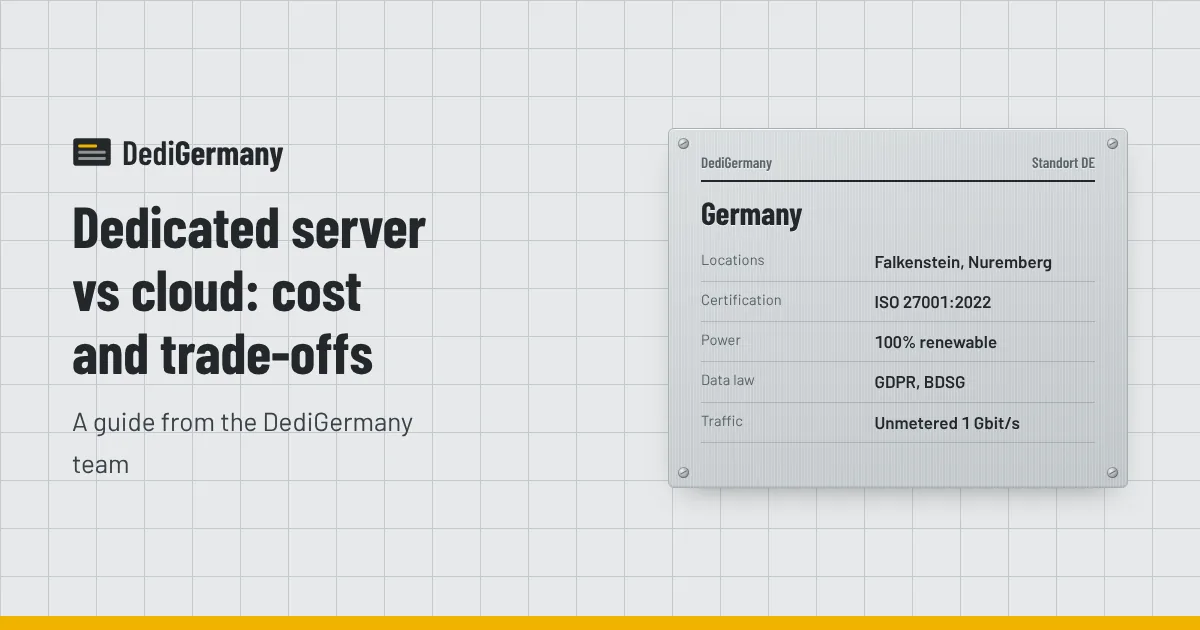
Our datacenters in Falkenstein and Nuremberg are ISO 27001:2022 certified and run on renewable electricity; details are on the datacenter page. To compare hardware and prices, see all plans on the dedicated servers page.