Dell PowerEdge dedicated server: is it worth it?
A Dell PowerEdge dedicated server costs more than a standard build with the same processor, so the question is what the premium buys. The short answer: out-of-band management through iDRAC Enterprise, hot-swap drives and redundant titanium power supplies. If a few hours of downtime or a trip through the rescue system would cost you more than the monthly difference, the Dell line is worth it. If not, the standard servers are better value.
Our Dell PowerEdge dedicated server range
We offer three Dell configurations, all hosted in our Nuremberg datacenter.
| Plan | CPU | Memory | Storage | Price | Setup |
|---|---|---|---|---|---|
| Dell Xeon 6741P | Xeon 6741P, 48c/96t | 128 GB DDR5 ECC Reg (up to 256 GB) | 2 × 960 GB NVMe DC (up to 4 × 1.92 TB) | $1,059/mo | $419 |
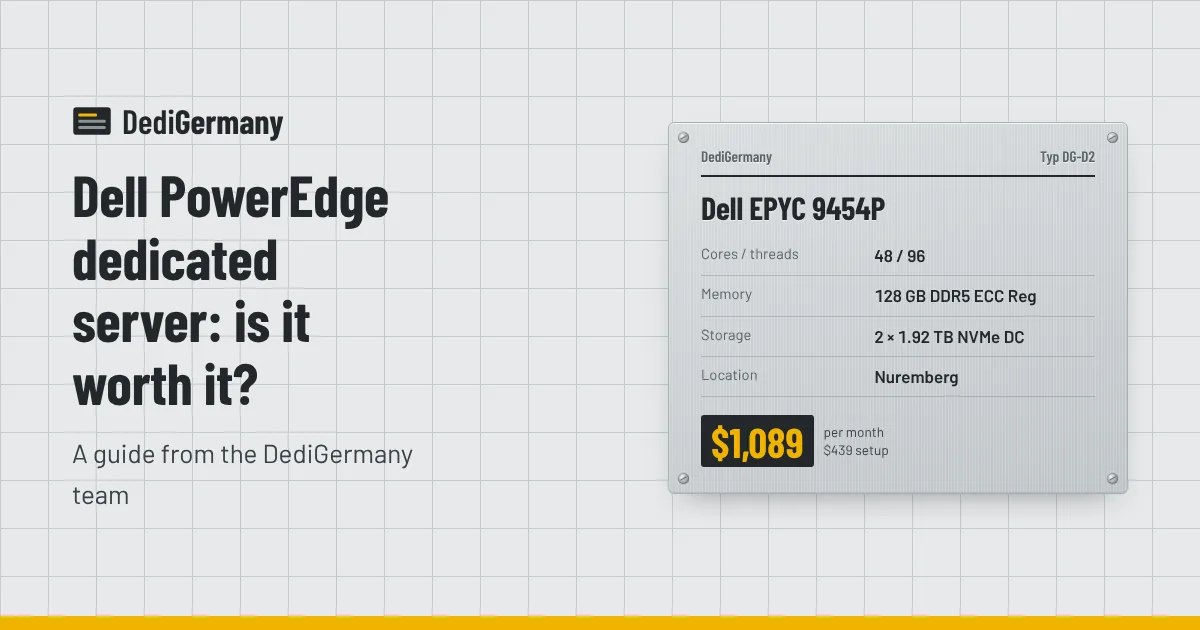
| Dell EPYC 9454P | EPYC 9454P, 48c/96t | 128 GB DDR5 ECC Reg (up to 512 GB) | 2 × 1.92 TB NVMe DC (up to 4 × 7.68 TB) | $1,089/mo | $439 |
| Dell Xeon 6787P | Xeon Gold 6787P, 86c/172t | 256 GB DDR5 ECC Reg (up to 512 GB) | 2 × 960 GB NVMe DC (up to 4 × 1.92 TB) | $1,379/mo | $559 |
Every Dell server includes iDRAC Enterprise, hot-swap drives and redundant titanium power supplies, on top of what every server we sell gets: an unmetered 1 Gbit/s port, DDoS protection, one IPv4 address plus a /64 IPv6 block, full root or administrator access and monthly billing with no minimum term. A 10 Gbit/s uplink is available on request for selected Dell servers.
What iDRAC Enterprise gives you
iDRAC is a small management computer built into the server's motherboard with its own network connection. It runs independently of the main operating system, so it keeps working when the OS has crashed, is stuck at boot or has not been installed yet.
- Virtual console. You see the server's screen and use its keyboard from a browser, including BIOS setup and boot menus.
- Virtual media. Mount an ISO image from your own machine and install any operating system you like, such as a specific Linux distribution, a hypervisor or Windows Server.
- Power control. Power on, power off, hard reset and power cycle without opening a ticket.
- Hardware health. Temperature, fan, power supply and drive status, plus a hardware event log that helps pin down a failing component.
On a standard server you recover from a bad kernel update or a broken firewall rule by booting the rescue system and fixing files from there. That works well and costs nothing extra. iDRAC turns the same job into watching the boot screen and correcting the problem directly, which is faster and less error-prone when the issue is in the bootloader or BIOS.
Redundancy and hot-swap: fewer reasons to go offline
Redundant titanium power supplies
Each Dell server has two power supplies. If one fails, the other carries the full load and the server keeps running while the faulty unit is replaced. Titanium is the highest efficiency rating in the 80 PLUS scheme, which means less energy lost as heat. On a single-PSU server a power supply failure means downtime until the part is swapped.
Hot-swap drives
The drive bays are hot-swap, so a failed NVMe drive in a RAID 1 mirror can be pulled and replaced while the server is running. The array then rebuilds in the background. On a standard chassis our technicians replace failed hardware around the clock as well, but without hot-swap bays a drive replacement typically needs a short shutdown.
Together these remove the two most common hardware reasons for planned or unplanned downtime on a single server. They do not remove the need for backups or for a second server if you need high availability; RAID protects against a drive failure, not against deleted files or a corrupted database. Our comparison of RAID 1, RAID 10 and ZFS explains the difference.
What the premium costs: Dell vs standard EPYC 9454P
The EPYC 9454P is available both as a standard server in Falkenstein and as a Dell PowerEdge in Nuremberg, which makes it a clean comparison.
| EPYC 9454P | Dell EPYC 9454P | |
|---|---|---|
| CPU | 48c/96t, up to 3.8 GHz | 48c/96t, up to 3.8 GHz |
| Memory | 128 GB DDR5 ECC Reg (up to 512 GB) | 128 GB DDR5 ECC Reg (up to 512 GB) |
| Storage | 2 × 1.92 TB NVMe DC (up to 2 × 15.36 TB) | 2 × 1.92 TB NVMe DC (up to 4 × 7.68 TB) |
| Remote management | Rescue system | iDRAC Enterprise plus rescue system |
| Power supplies | Standard | Redundant titanium |
| Location | Falkenstein | Nuremberg |
| Price | $929/mo | $1,089/mo |
| Setup fee | $369 | $439 |
The difference is $160 a month and $70 once. Over a year that is $1,990. The Dell version also takes four drives instead of two, so it can be laid out as RAID 10 for more capacity with redundancy, while the standard version supports larger individual drives. For more on the processor itself, see our EPYC 9454P dedicated server article.
When the Dell premium is worth paying
- Production systems with paying customers. Hosting resellers, SaaS platforms and agencies running client sites lose money and trust during downtime. $160 a month is small next to one avoided outage.
- Custom operating systems. If you install your own hypervisor, appliance or Windows image from ISO, virtual media makes it straightforward.
- Teams without someone on call for the rescue system. A virtual console is easier for a less experienced admin than repairing a system from a rescue environment.
- Compliance and audits. Redundant power, hardware event logs and remote management are easy to document.
- A second site. If your primary servers are in Falkenstein, placing a Dell server in Nuremberg gives you a second German location.
When a standard server is the better buy
- Clustered or replicated workloads. If you already run several nodes with failover, losing one node for a hardware swap is not an outage, and the savings buy more nodes.
- Development, CI and batch jobs that can be restarted without harm.
- Budget-sensitive projects. Our AMD dedicated servers start at $89 a month, and the rescue system plus 24/7 on-site hardware replacement covers most recovery needs.
The deciding question is simple: what does an hour of downtime cost you, and how many hours a year would iDRAC and redundant hardware save? If the answer is more than the monthly premium, go Dell.
Compare all three configurations and current availability on the Dell PowerEdge servers page, or see how they fit a hosting business on our reseller hosting server page.